Every company we work with is pursuing two goals with AI at once:
- Maximizing the use of AI to achieve positive business impact
- Minimizing wasteful and ineffective AI token spend
While these goals are not oppositional, pursuing either one in isolation can seriously undermine the other. Effective use of AI is the combination of both: finding the right, high-impact use cases, and running them on infrastructure that optimizes every part of that consumption. Optimization starts with cost visibility and consumption controls (you can’t improve what you can’t measure), but a holistic approach to cost management requires control over the input variables that go into your organization’s spend.
An equation for AI spend
The immediate approach many organizations take to reducing spend is to force consumption into cheaper models. Model cost is an important variable in the equation, but optimizing it alone risks a tradeoff in response quality that degrades effectiveness and increases turns with the model. Cost is not bound to a single input - it is the product of three variables:
Context × Turns × Model = AI Cost
- Context - the input and output tokens exchanged with a model on a given turn.
- Turns - the number of roundtrips to a model in a session with each turn compounding with accumulated history.
- Model - the price you pay per token for provider models or your GPU infra cost/capacity for self-hosted models.
Evaluating AI cost as an equation makes it clear that these are dependent variables that have multiplicative effects on cost output when combined together. Optimizing the inputs doesn’t just save money, it improves quality. Eliminating unnecessary context saves tokens and improves the model’s focus. Minimizing turns gets to an answer faster and avoids generating a long tail of accumulated history. Routing each request to the best-fit model means your hardest problems still get the most powerful models while you stop paying premium prices to summarize an email. A complete strategy for token optimization reduces cost and improves quality.
Everything we’ve built for cost optimization is organized around this equation. Let’s start with the output and then work through each variable in turn.
Cost visibility and control
The table stakes cost management strategy for any organization will be centralized reporting on token consumption and spend with the ability to enforce cost budgets. Solo Enterprise for agentgateway ships with cost reporting dashboards and budgeting out of the box. Token consumption and spend are rolled up across your organization, broken down by model, provider, team, and custom attributes over any window you choose. Budget controls allow you to set soft limits (audit only) and hard limits (consumption blocked) when a budget is reached that can be layered for rollups at multiple levels.
A common point of friction with most out-of-the-box dashboards is that they assume a fixed structure and attribute set that don’t necessarily line up with the shape of your organization. To address this gap, we created a concept of ‘dimensions’ that support custom-defined attributes and hierarchy that allow you to fit cost dashboards and budgets to the exact shape of your organization. Dynamic attribute mapping allows you to customize how every request maps to dimensions you’ve defined. The result is dashboards and budgets that work out of the box while fitting the exact shape of your organization, not the other way around.

Check out the detailed walkthrough on Consumption Visibility & Control.
Context: the tokens per turn
The first variable we’ll cover is context - the input tokens sent and the output tokens generated in each round trip to the model. While most users are aware of the context they put directly in the context window, there are two insidious forms of context bloat that lurk beneath the surface: tooling metadata and session history.
When you connect an MCP server to a model, the metadata for every tool it exposes - names, descriptions, parameters, return schemas - is loaded into the context window during discovery. This happens whether or not the model ever calls a single one of those tools. This is inefficient even for a single server with a handful of tools. As you federate access across the sprawl of MCP servers your clients need, tooling metadata can quickly fill the majority of your model's context window. Agentgateway supports the ability to dynamically select a subset of federated tools based on a client’s identity or use case, limiting tooling metadata to the subset of tools the client has access to. Support for progressive disclosure, the same pattern popularized by Anthropic with agent skills, layers on top of this optimization to limit initial tooling metadata to frontmatter which can save 80-90% of token cost attributable to tools.
Check out our detailed walkthroughs on Virtual MCP and Progressive Disclosure.
The second form of context bloat is related to session history. Every turn in a session carries the full transcript of what came before: prior prompts, tool results, and intermediate outputs. As sessions increase in length, you're still paying for tokens deep in session history even though they are no longer relevant or useful. Agentgateway addresses this with support for multiple compression and compaction algorithms that prune stale history while preserving the context that matters. Implementing this directly in the gateway allows you to optimize across LLMs, tools, and agent harnesses without being bound to one provider's implementation.
Check out our detailed walkthrough on Context Compression.
Turns: where cost compounds
Turns refer to the number of roundtrips with a model to accomplish a given task. What’s not immediately obvious to most users is that turns aren’t exclusively driven by human inputs - MCP clients and agent harnesses can silently take 10s of turns with a model in an agentic loop to execute tools and skills based on a single user prompt. Each turn includes the entire history of turns for the session, compounding token costs and filling the context window. Agentgateway supports turn optimization features with custom mode and code mode to minimize turns for a given task, reducing cost and increasing overall task performance.
Code mode increases tool calling efficiency by representing MCP tools as TypeScript functions, allowing LLMs to create programs that combine multiple tool calls in a single turn. This approach shines when models need to execute dependent tool calls with iteration or conditional logic, as the entire sequence collapses into a single MCP tool call that executes the program. Agentgateway runs all code in a secure execution sandbox with authorization controls, host isolation, and runtime guardrails. Every eliminated turn is a turn that would have resent the full session history, so the savings compound. Agentic workloads that chain many tools see order-of-magnitude reductions in token consumption.
Check out our detailed walkthrough on Code Mode.
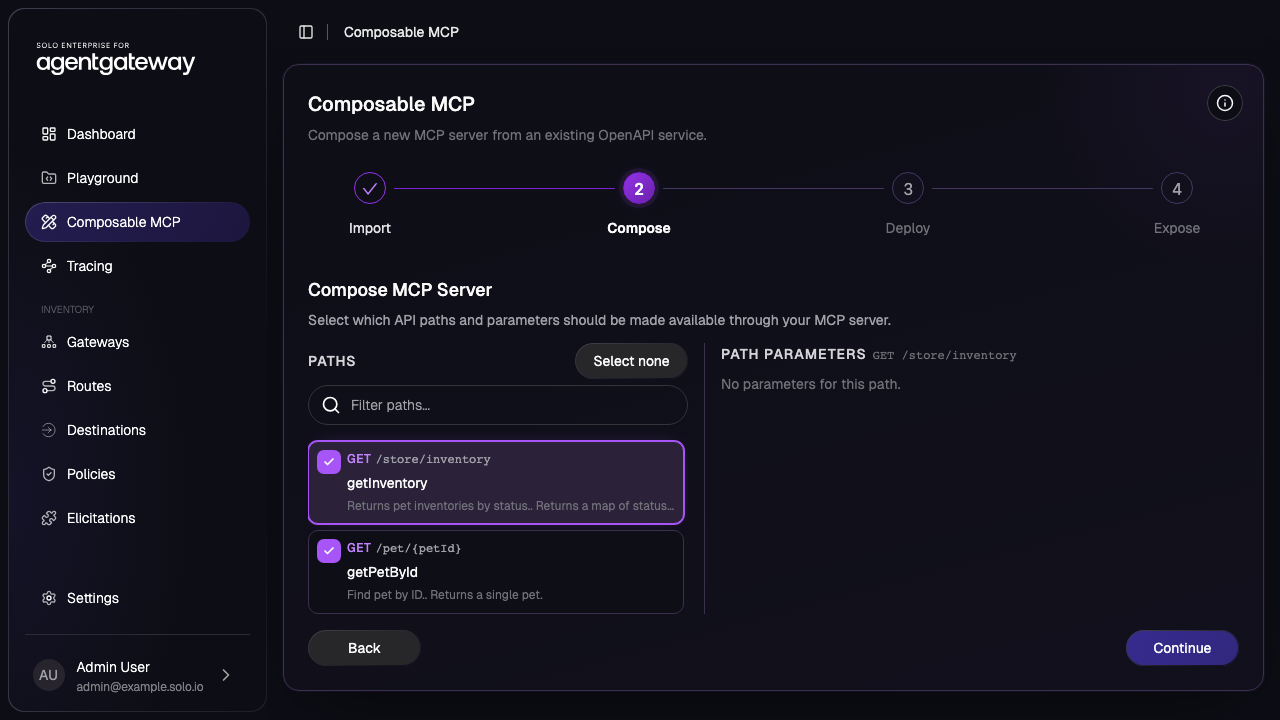
Custom mode targets the same objective without model-generated code. Instead of the LLM writing a program, you define the orchestration in configuration: a deterministic pipeline of tool calls that agentgateway exposes to the model as a single tool. This fits workloads where the sequence is known in advance or where policy rules out executing generated code, and it carries the same benefit, with the entire sequence completing in a single turn instead of paying for round-trips. The savings here extend beyond native MCP tools - custom mode pipelines also support REST endpoints. The conventional approach to integrating REST with MCP has been to automatically convert every resource operation (get-order, put-order, delete-order, etc.) into an MCP tool. This 'resource-oriented' approach produces a sprawl of fine-grained tools that pollute the context window with tooling metadata. Custom mode allows you to combine multiple REST API calls into a single MCP tool call, producing ‘function-oriented’ tools for better UX and significant token savings.
Model: matching intelligence to task
The last input is the most obvious variable to control, but the hardest to get right. The potential payoff is huge: model choice sets your price per token, and pricing spans orders of magnitude across model tiers. The difficulty is that end users will always pick the most powerful model available, regardless of the task at hand. Organizations can address this by abstracting model names and details behind virtual models, but the abstraction still has to expose some suggestion of power (low, medium, and high) and users gravitate right back to the highest-performance model. Any approach that relies on the requester to choose ends in the same place.
The best approach to this problem removes the choice from the requester entirely and lets the prompt drive model selection. Agentgateway provides a semantic routing feature that runs classifiers dynamically against each prompt to determine the best model fit. Complex reasoning goes to a frontier model, the broad middle of coding and agent work to a mid-tier model, extraction and classification to a small fast one. Users get the right result without making a model decision, and you stop paying frontier prices to summarize an email.
Check out our detailed walkthrough on Semantic Routing.
Cost and quality don’t have to be a tradeoff
Every organization wants to maximize effective use of AI while eliminating unnecessary token spend. Optimizing the inputs that drive consumption improves both: less noise in the context window, fewer round-trips to an answer, and the right model for every prompt. Approaching this from a holistic perspective, not just in how you measure the problem but in how you solve it, is the key to successful optimization. Solve for these concerns once in your agentic infrastructure layer and you'll realize the benefits across every agent, harness, model, and tool your organization runs.
Getting started
You can find more details below:


%20(1).png)






%20a%20Bad%20Idea.png)