Before the MCP protocol, Agents were calling out to APIs one way, programmatically. There would be a CLI or a script that an Agent would use to reach out to a particular endpoint to perform an action. Then, MCP came out and tools were put into the mix because the industry needed to have a schema to secure, observe, and standardize on.
As time went on, engineers started asking “can’t we just use an API?”, and the answer is “yes”, but the ability to secure and observe traffic to tools that Agents call upon is still necessary.
That’s where Code Mode comes into play.
In this blog post, you’ll learn what Code Mode is, how to use it, and how to implement it with agentgateway.
Tldr; Code Mode
Using the Code Mode backend translates non-MCP tools into MCP-looking tools so Agents can use them. Code Mode is used to interact with tools/APIs that aren't MCP Servers/tools, but you still want to use them in your agentic workflow, so it "translates" them to look like MCP server tools so they can be used by your Agents. The protocol bridge is OpenAPI.
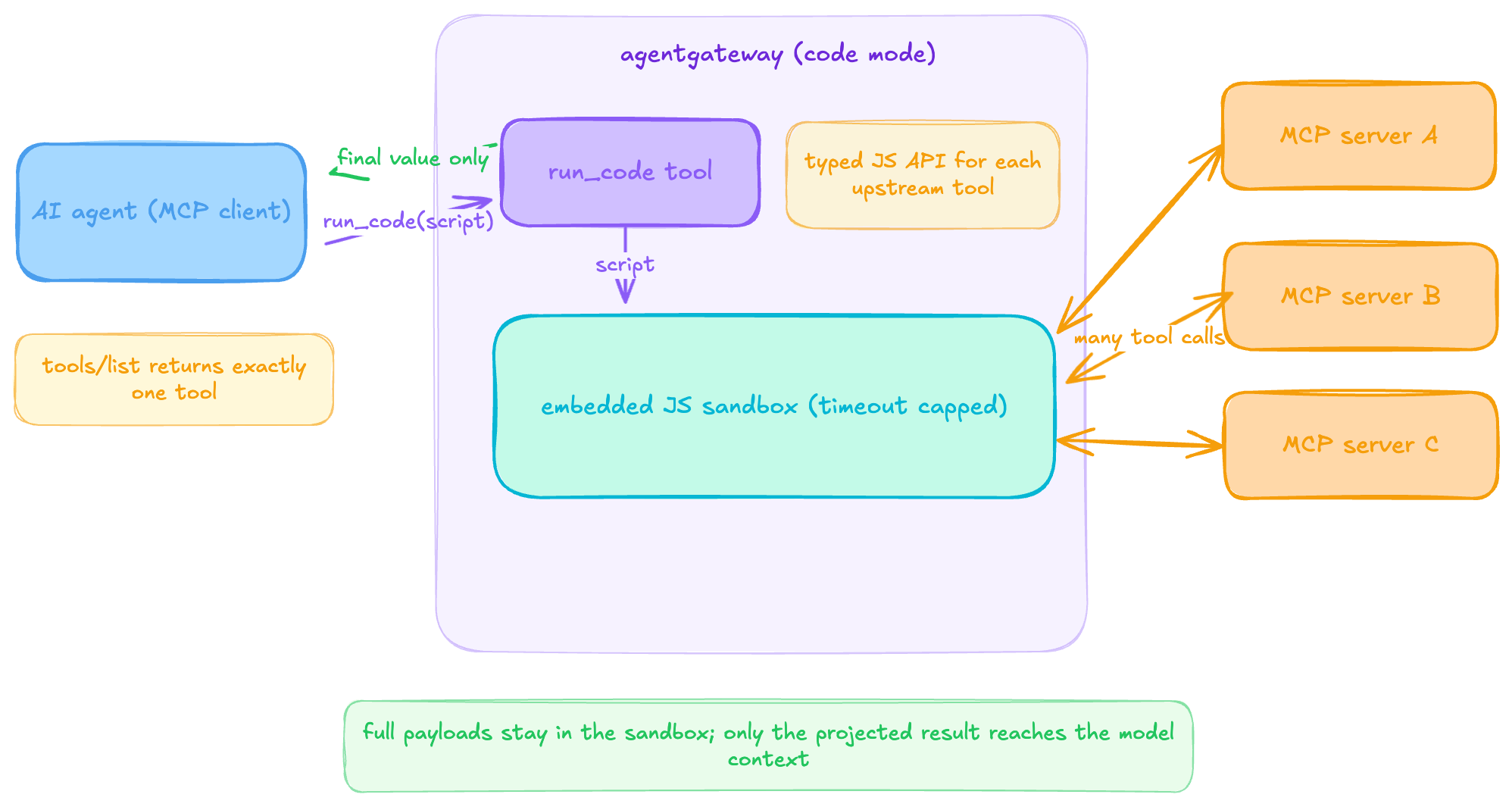
An AI agent sees exactly one tool from tools/list. run_code, and the description of said tool carries a typed JS API for every upstream tool the caller (the Agent or MCP client accessing the tool) is authorized to use. The Agent submits a script via tools/call (this is done in the background, not a script that you have to write), agentgateway executes it in the embedded sandbox (capped by codeMode.timeout, default 5s), and the script fans out to as many upstream MCP tool calls as the workflow needs. Intermediate payloads (the screen “embedded JS sandbox) never leave the sandbox, only the projected final value that comes back to the LLM and then to the Agent via a return response for the context.
Hands-On Code Mode Implementation
For the purposes of this blog post, you’ll use the free/open geolocation API. That way you don’t have to worry about API keys or auth. When implementing and testing Code Mode, you will need four objects:
- Gateway = based on k8s gateway api CRDs
- HTTPRoute = for a routable path
- EnterpriseAgentgatewayBackend = tells the gateway what to route to. In this case, it’s a ConfigMap (where the API call to the geolocation API lives)
- ConfigMap = the call to the geolocation API.
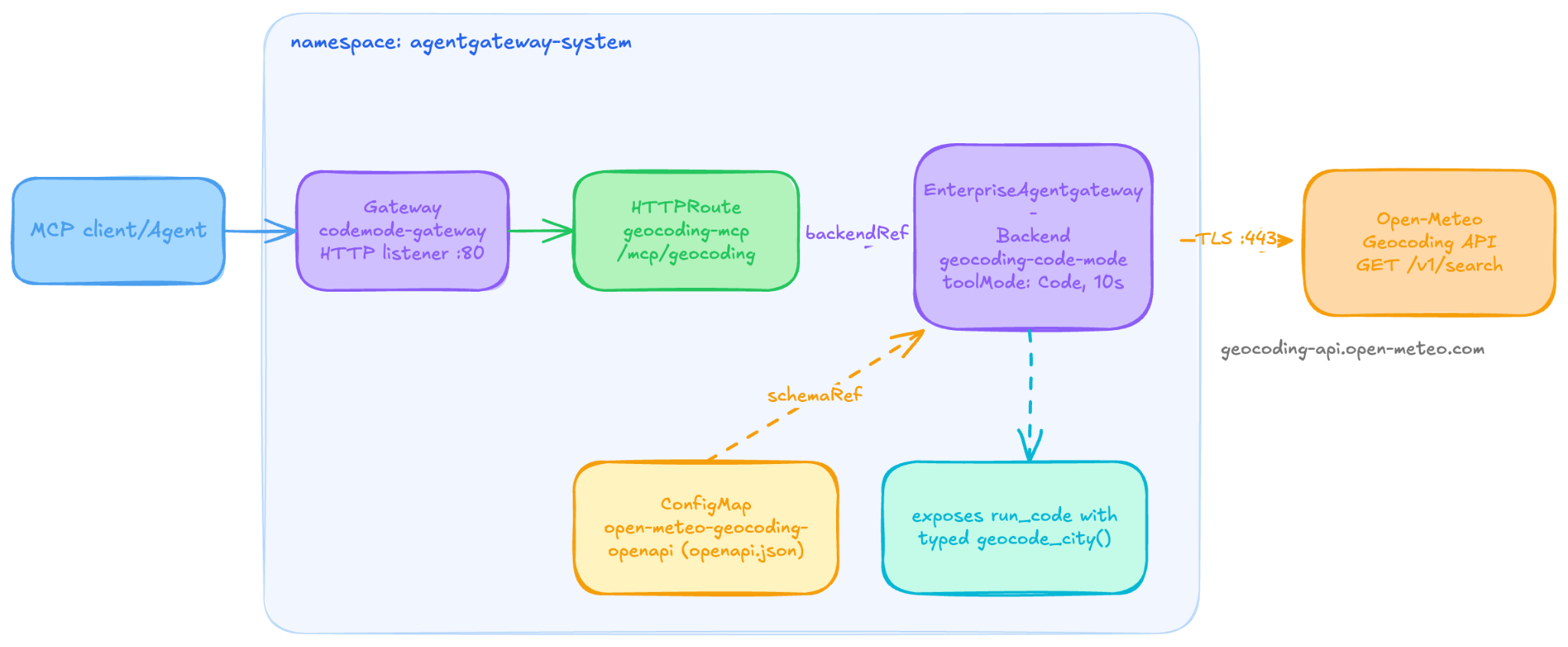
- Create the config map that contains the API call to the geocoding API.
kubectl apply -f - <<EOF
apiVersion: v1
kind: ConfigMap
metadata:
  name: open-meteo-geocoding-openapi
  namespace: agentgateway-system
data:
  openapi.json: |
    {
      "openapi": "3.0.0",
      "info": { "title": "Open-Meteo Geocoding", "version": "1.0.0" },
      "servers": [{ "url": "https://geocoding-api.open-meteo.com/v1" }],
      "paths": {
        "/search": {
          "get": {
            "operationId": "geocode_city",
            "description": "Resolve a city name to latitude/longitude and country.",
            "parameters": [
              { "name": "name", "in": "query", "required": true,
                "schema": { "type": "string" },
                "description": "City name, e.g. \"Paris\"." },
              { "name": "count", "in": "query", "required": false,
                "schema": { "type": "integer", "default": 1 },
                "description": "Max results to return." }
            ],
            "responses": { "200": { "description": "OK" } }
          }
        }
}- Create a Gateway so the API is accessible.
kubectl apply -f - <<EOF
apiVersion: gateway.networking.k8s.io/v1
kind: Gateway
metadata:
  name: codemode-gateway
  namespace: agentgateway-system
spec:
  gatewayClassName: enterprise-agentgateway
  listeners:
    - name: mcp
      port: 80
      protocol: HTTP
      allowedRoutes:
        namespaces:
from: Same- Implement an EnterpriseAgentgatewayBackend which tells the gateway what to route to. In this case, it’s the configmap with the pointer to the geocoding API.
kubectl apply -f - <<EOF
apiVersion: enterpriseagentgateway.solo.io/v1alpha1
kind: EnterpriseAgentgatewayBackend
metadata:
  name: geocoding-code-mode
  namespace: agentgateway-system
spec:
  entMcp:
    toolMode: Code
    codeMode:
      timeout: 10s
    targets:
      - name: geocoding
        static:
          host: geocoding-api.open-meteo.com
          port: 443
          protocol: OpenAPI
          openAPI:
            schemaRef:
              name: open-meteo-geocoding-openapi
          policies:
tls: {}- Implement an HTTPRoute so there’s a path to the configmap.
kubectl apply -f - <<EOF
apiVersion: gateway.networking.k8s.io/v1
kind: HTTPRoute
metadata:
  name: geocoding-mcp
  namespace: agentgateway-system
spec:
  parentRefs:
    - name: codemode-gateway
  rules:
    - matches:
        - path:
            type: PathPrefix
            value: /mcp/geocoding
      backendRefs:
        - group: enterpriseagentgateway.solo.io
          kind: EnterpriseAgentgatewayBackend
          name: geocoding-code-mode
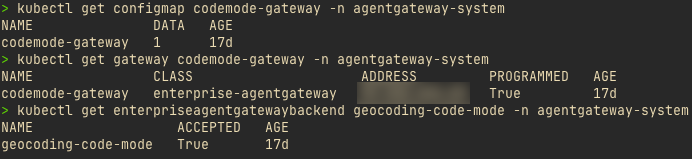
With your resources now created, it’s time to test out Code Mode.
Testing Code Mode
With Code Mode, there’s a single tool as mentioned, run_code. This tool gives you the ability to programmatically execute an action against the API that you’re interacting with (in this case, it’s the geocoding open API endpoint). The code that you add into the run_code tool could be the same thing that you’d put into a JS script in VS Code or a terminal.
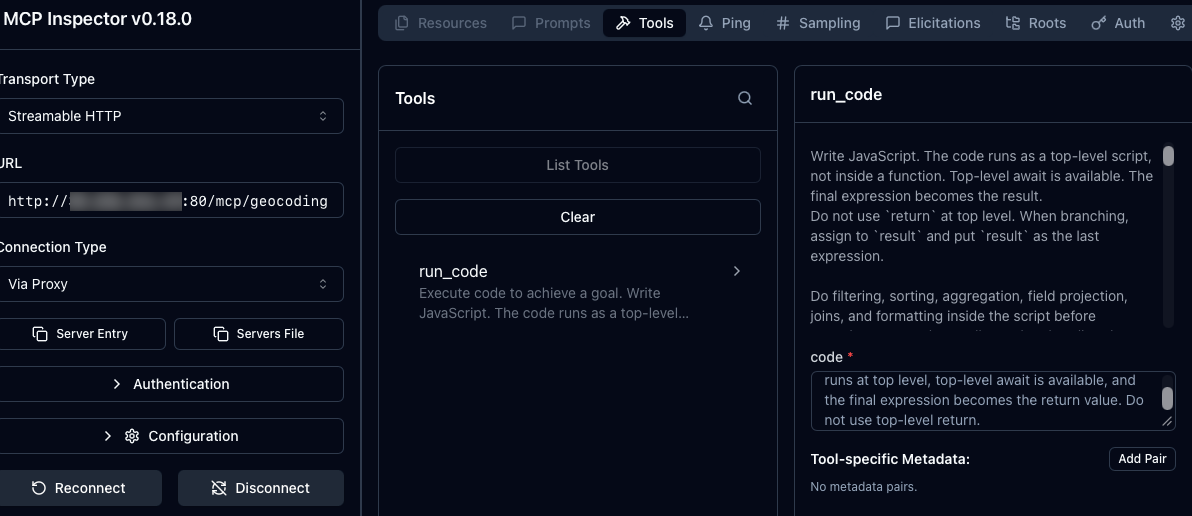
- Open MCP Inspector and put in your Gateways IP along with the path to the geocode backend.
npx modelcontextprotocol/inspector#0.18.0
- In the example below, you create a constant called
residencethat contains a function to call a specific city. In this case, it’s Denver. You can execute the constant.
const residence = await geocode_city({ query: { name: "Denver", count: 1 } });

residence
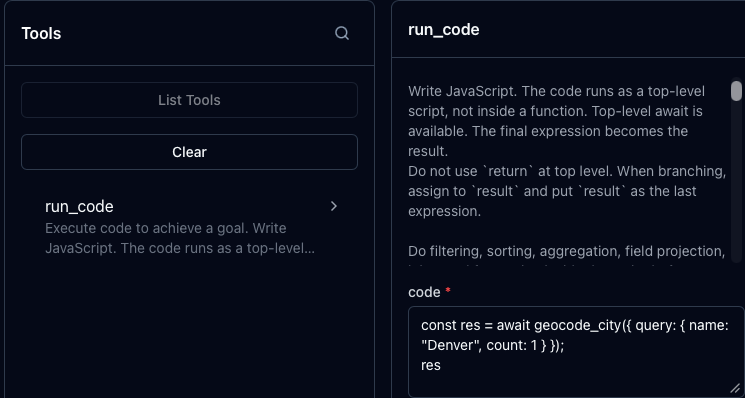
- You will then get an output similar to the below, which showcases all things Denver including zip codes (cut off most of them to save page space).
{
  "success": {
    "results": [
      {
        "id": 5419384,
        "name": "Denver",
        "latitude": 39.73915,
        "longitude": -104.9847,
        "elevation": 1609,
        "feature_code": "PPLA",
        "country_code": "US",
        "admin1_id": 5417618,
        "admin2_id": 5419396,
        "timezone": "America/Denver",
        "population": 729019,
        "postcodes": [
          "80201",
          "80202",
          "80203",
          xxxxxxxx        ],
        "country_id": 6252001,
        "country": "United States",
        "admin1": "Colorado",
        "admin2": "Denver"
      }
    ],
    "generationtime_ms": 0.37491322
  }
}
Congrats! You’ve officially set up and configured an Agent to reach out to APIs directly instead of MCP Servers via Code Mode.
Cost Optimization (Tokens and Dollars)
With Code Mode deployed and tested, you now have a way to interact with APIs as tools for your Agents. This is a great advancement for two reasons:
- Implementing functions as tools.
- Cost savings
When connecting to an MCP Server, all of the tools within that server have a definition (description, title, use case, and other forms of metadata), and the entire definition of the tool gets ingested into the Agents context. The reason why is because the Agent needs to beaware of the tools so it can call a particular tool to perform a task (e.g - a prompt from a user to list all k8s Pods, so the Agent calls the list_pods tool). Like anything else within an Agent context, there's token usage. For a decently sized MCP Server, this means that you could go through 50,000-100,000 tokens before your first prompt.
With Code Mode, however, there's one tool called - the run_tool tool.
Let's see this in action by testing a connection to a standard MCP Server and Code Mode. To do this, you'll need to deploy a standard MCP Server. One of the easiest as most people have access to GitHub is the GitHub Copilot MCP Server. You can learn how to deploy it here (just do the Gateway Setup section): https://github.com/solo-io/solo-sa-agentic/blob/main/agentgateway/providers/github/copilot-obo-agw-deepdive.md#gateway-setup
The script:
- Discovers both Gateway IPs.
- Connects to each MCP endpoint.
- Initializes separate MCP sessions.
- Retrieves each endpoint’s complete tools/list.
- Converts MCP tools into model-compatible function definitions.
- Sends both tool inventories to the same Claude model.
- Uses an identical prompt for both requests.
- Records tool count, payload size, and token usage.
- Estimates cost using Claude Sonnet 4.6 pricing.
- Prints token reduction and estimated savings.
You can find the script to run here: https://github.com/solo-io/solo-sa-agentic/blob/main/agentgateway/benchmarks/codemode-vs-standardmcp.sh
After running the above, you'll see a similar output to this screenshot:

The live LLM comparison shows that Code Mode used 1,368 prompt tokens and the standard GitHub MCP Server used 13,869. That is a 90.14% reduction in token usage.
Wrap Up
Code Mode gives you the ability to reach out directly to an API endpoint to access tools instead of having to go through an MCP Server. This opens up various methods of Agents interacting with tools in a safe and secure fashion, and most importantly, allows engineers to use Agents to interact with APIs the same way they always have.


%20(1).png)





%20a%20Bad%20Idea.png)