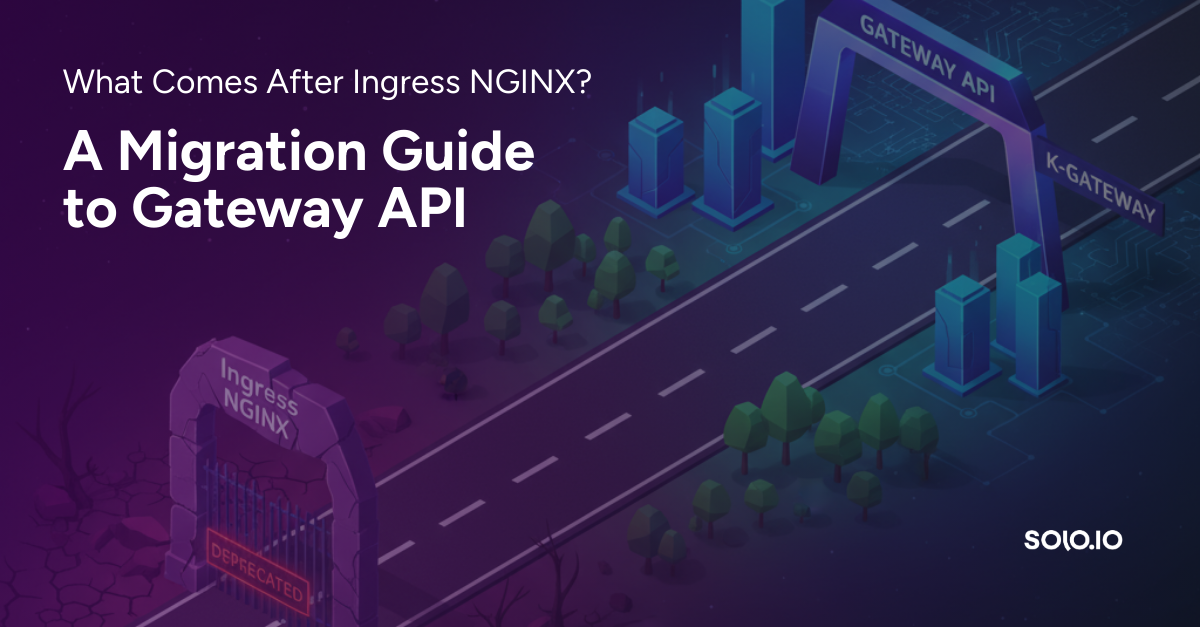
With the latest news of the Ingress NGINX Controller migration, thousands of engineers are attempting to figure out how they can migrate to Gateway API, the new standard for gateway traffic to various applications running within Kubernetes. Because teams could have hundreds or more Ingress manifests using the Controller, a method of turning those manifests into Gateway API core and implementation-specific objects is necessary.
In this blog post, you’ll learn a bit about the “why” behind the deprecation and how to migrate your Ingress NGINX configurations.
Why The Deprecation?
When Kubernetes first came out, there was a need to show an example of how to manage ingress traffic. Because of that, Ingress NGINX was created. However, because of its breadth of usage and support across the various cloud providers, it ended up becoming a standard. Since the standard was created, there were still only a handful of people working on maintenance and new features around Ingress NGINX.
Implementing Ingress2gateway Via Kgateway
With what you’ve learned so far throughout this blog post regarding the Ingress NGINX retirement, you may be thinking to yourself “alright, so how do I keep the lights on and remove the Controller?”. The answer is by migrating to Gateway API. Because that would be incredibly cumbersome to do manually, you can use the Ingress2gateway migration tool. Since Gateway API was designed to be extensible, migrating most production use cases also requires implementation-specific objects. For example, migrating an Ingress with the “nginx.ingress.kubernetes.io/auth-type: basic” annotation requires an implementation-specific object such as kgateway’s TrafficPolicy.
💡 Technically, you can keep the underlying Ingress object and change the ingressClassName. However, it’s not recommended as the Kubernetes project is moving toward Gateway API. In short, there’s no reason to migrate to something that’s considered deprecated by the community, and therefore, would mean you’re migrating and creating more tech debt.
In the next two sections, you’ll first deploy an object with Ingress NGINX into your Kubernetes cluster and then you’ll learn how to migrate it to kgateway (kgateway is a conformant Gateway API implementation: https://gateway-api.sigs.k8s.io/implementations/#kgateway).
Using The Migration Tool
1. The first step is to download the migration tool. You can find the installation options for your Operating System here.
2. You can see that the command works by running the build/binary like in the below output:
./ingress2gateway
Convert Ingress manifests to Gateway API manifests

Usage:
  ingress2gateway [command]

Available Commands:
  completion  Generate the autocompletion script for the specified shell
  help        Help about any command
  print       Prints Gateway API objects generated from ingress and provider-specific resources.
  version     Print the version number of ingress2gateway
3. With the binary, you can use the print command with the providers and emitter flags to:
- Specify that you want the source to be the Ingress NGINX Controller.
- What you want to migrate to, which in this case is kgateway using the standard from Kubernetes Gateway API CRDs (kgateway is what the current supported implementation by this downstream fork).
- Convert them to Kubernetes Gateway API objects.
Below is an example of what you would run to show the output of what the Kubernetes objects will look like with the conversion:
./ingress2gateway print --providers=ingress-nginx --emitter=kgateway
Next, you’ll find three key use cases that many organizations deploy within production environments and how to convert them with ingress2gateway.
Deploying Ingress NGINX Implementations
In this section, you will see three key scenarios that many production-level environments run:
- TLS/SSL
- Auth
- CORS
The goal with the three test cases in to ensure that the ingress2gateway tool works as expected for various use cases depending on an engineer's environment.
Deployment Setup
1. Deploy a test application, which is only a simple HTTP service. It’ll run in a Kubernetes Deployment and have a Kubernetes Service.
kubectl apply -f - <<EOF
apiVersion: apps/v1
kind: Deployment
metadata:
  name: api-app
  namespace: default
spec:
  replicas: 2
  selector:
    matchLabels:
      app: api-app
  template:
    metadata:
      labels:
        app: api-app
    spec:
      containers:
      - name: httpbin
        image: kennethreitz/httpbin
        ports:
        - containerPort: 80
---
apiVersion: v1
kind: Service
metadata:
  name: api-service
  namespace: default
spec:
  selector:
    app: api-app
  ports:
  - port: 80
    targetPort: 80
---
apiVersion: apps/v1
kind: Deployment
metadata:
  name: admin-app
  namespace: default
spec:
  replicas: 1
  selector:
    matchLabels:
      app: admin-app
  template:
    metadata:
      labels:
        app: admin-app
    spec:
      containers:
      - name: nginx
        image: nginx:alpine
        ports:
        - containerPort: 80
---
apiVersion: v1
kind: Service
metadata:
  name: admin-service
  namespace: default
spec:
  selector:
    app: admin-app
  ports:
  - port: 80
    targetPort: 80
Use Case 1: TLS/SSL
1. Create certs for testing.
openssl req -x509 -nodes -days 365 -newkey rsa:2048 -keyout tls.key -out tls.crt -subj "/CN=localhost/O=dev”
2. Create a new Kubernetes secret for TLS certs.
kubectl create secret tls my-tls-cert \
  --cert=tls.crt \
  --key=tls.key
3. Apply the Ingress configuration.
kubectl apply -f - <<EOF
apiVersion: networking.k8s.io/v1
kind: Ingress
metadata:
  name: tls-ingress
  namespace: default
  annotations:
    nginx.ingress.kubernetes.io/ssl-redirect: "true"
    nginx.ingress.kubernetes.io/force-ssl-redirect: "true"
spec:
  ingressClassName: nginx
  tls:
  - hosts:
    - api.example.com
    secretName: my-tls-cert
  rules:
  - host: api.example.com
    http:
      paths:
      - path: /
        pathType: Prefix
        backend:
          service:
            name: api-service
            port:
              number: 80
Please Note: below, you will see an annotation that specifies which control plane/gateway you’re switching to. The reason why is to ensure that the Gateway object you’re planning on using is supported and works as expected, which is the goal as using the Kubernetes Gateway API CRDs allows you to be as agnostic as possible.
4. Run the ingress2gateway tool and you should see an output similar to the below:
apiVersion: gateway.networking.k8s.io/v1
kind: Gateway
metadata:
  annotations:
    gateway.networking.k8s.io/generator: ingress2gateway-v0.3.0
  name: nginx
  namespace: default
spec:
  gatewayClassName: kgateway
  listeners:
  - hostname: api.example.com
    name: api-example-com-http
    port: 80
    protocol: HTTP
  - hostname: api.example.com
    name: api-example-com-https
    port: 443
    protocol: HTTPS
    tls:
      certificateRefs:
      - group: null
        kind: null
        name: my-tls-cert
status:
  parents: []
---
apiVersion: gateway.networking.k8s.io/v1
kind: HTTPRoute
metadata:
  annotations:
    gateway.networking.k8s.io/generator: ingress2gateway-v0.3.0
  name: tls-ingress-api-example-com-https
  namespace: default
spec:
  hostnames:
  - api.example.com
  parentRefs:
  - name: nginx
    sectionName: api-example-com-https
  rules:
  - backendRefs:
    - name: api-service
      port: 80
    matches:
    - path:
        type: PathPrefix
        value: /
status:
  parents: []
---
apiVersion: gateway.networking.k8s.io/v1
kind: HTTPRoute
metadata:
  annotations:
    gateway.networking.k8s.io/generator: ingress2gateway-v0.3.0
  name: tls-ingress-api-example-com-http-redirect
  namespace: default
spec:
  hostnames:
  - api.example.com
  parentRefs:
  - name: nginx
    sectionName: api-example-com-http
  rules:
  - filters:
    - requestRedirect:
        scheme: https
        statusCode: 301
      type: RequestRedirect
    matches:
    - path:
        type: PathPrefix
        value: /
Functional Tests
1. Apply the new objects that were printed above.
./ingress2gateway print --providers=ingress-nginx --emitter=kgateway | kubectl apply -f -
2. Verify the Gateway is accepted.
kubectl get gateway nginx -o jsonpath='{.status.conditions[?(@.type=="Accepted")].status}'
3. Ensure that the HTTP Routes are attached.
kubectl get httproute -o jsonpath='{range .items[*]}{.metadata.name}: {.status.parents[0].conditions[?(@.type=="Accepted")].status}{"\n"}{end}'
4. Get the IP address of the Gateway.
GATEWAY_IP=$(kubectl get gateway nginx -o jsonpath='{.status.addresses[0].value}') echo $GATEWAY_IP
5. Test the HTTP Redirect (should return a 301).
curl -I --resolve api.example.com:80:$GATEWAY_IP http://api.example.com/
6. Test the HTTPS route.
curl -k --resolve api.example.com:443:$GATEWAY_IP https://api.example.com/
Use Case 2: Auth
1. Create a username and password (secret is stored in a k8s secret).
htpasswd -c auth admin
kubectl create secret generic basic-auth --from-file=auth
2. Apply the Ingress configuration.
kubectl apply -f - <<EOF
apiVersion: networking.k8s.io/v1
kind: Ingress
metadata:
  name: auth-ingress
  namespace: default
  annotations:
    nginx.ingress.kubernetes.io/auth-type: basic
    nginx.ingress.kubernetes.io/auth-secret: basic-auth
    nginx.ingress.kubernetes.io/auth-secret-type: auth-file
spec:
  ingressClassName: nginx
  rules:
  - host: admin.example.com
    http:
      paths:
      - path: /
        pathType: Prefix
        backend:
          service:
            name: admin-service
            port:
              number: 80
3. Use the ingress2gateway tool to convert it.
./ingress2gateway print --providers=ingress-nginx --emitter=kgateway
You should see an output similar to the below:
apiVersion: gateway.networking.k8s.io/v1
kind: Gateway
metadata:
  annotations:
    gateway.networking.k8s.io/generator: ingress2gateway-v0.3.0
  name: nginx
  namespace: default
spec:
  gatewayClassName: kgateway
  listeners:
  - hostname: admin.example.com
    name: admin-example-com-http
    port: 80
    protocol: HTTP
status: {}
---
apiVersion: gateway.networking.k8s.io/v1
kind: HTTPRoute
metadata:
  annotations:
    gateway.networking.k8s.io/generator: ingress2gateway-v0.3.0
  name: auth-ingress-admin-example-com
  namespace: default
spec:
  hostnames:
  - admin.example.com
  parentRefs:
  - name: nginx
  rules:
  - backendRefs:
    - name: admin-service
      port: 80
    matches:
    - path:
        type: PathPrefix
        value: /
status:
  parents: []
---
apiVersion: gateway.kgateway.dev/v1alpha1
kind: TrafficPolicy
metadata:
  name: auth-ingress
  namespace: default
spec:
  basicAuth:
    secretRef:
      key: auth
      name: basic-auth
  targetRefs:
  - group: gateway.networking.k8s.io
    kind: HTTPRoute
    name: auth-ingress-admin-example-com
Functional Tests
1. Create a basic-auth secret.
htpasswd -nbB admin testpass123 > /tmp/htpasswd kubectl create secret generic basic-auth --from-file=.htaccess=/tmp/htpasswd -n default
2. Apply the new converted objects.
./ingress2gateway print --providers=ingress-nginx --emitter=kgateway | kubectl apply -f -
3. Verify the Gateway is accepted.
kubectl get gateway nginx -o jsonpath='{.status.conditions[?(@.type=="Accepted")].status}'
4. Ensure the HTTP route is attached.
kubectl get httproute auth-ingress-admin-example-com -o jsonpath='{.status.parents[0].conditions[?(@.type=="Accepted")].status}'
5. Get the Gateway IP.
GATEWAY_IP=$(kubectl get gateway nginx -o jsonpath='{.status.addresses[0].value}') echo $GATEWAY_IP
6. Test without auth. This should fail with a 401.
curl -I --resolve admin.example.com:80:$GATEWAY_IP http://admin.example.com/
7. Test with auth.
curl --resolve admin.example.com:80:$GATEWAY_IP -u "admin:testpass123" http://admin.example.com/
Use Case 3: CORS
1. Apply the Ingress configuration below.
kubectl apply -f - <<EOF
apiVersion: networking.k8s.io/v1
kind: Ingress
metadata:
  name: cors-ingress
  namespace: default
  annotations:
    nginx.ingress.kubernetes.io/enable-cors: "true"
    nginx.ingress.kubernetes.io/cors-allow-origin: "https://app.example.com,https://dashboard.example.com"
    nginx.ingress.kubernetes.io/cors-allow-methods: "GET,POST,PUT,DELETE,OPTIONS"
    nginx.ingress.kubernetes.io/cors-allow-headers: "Authorization,Content-Type,X-Requested-With"
    nginx.ingress.kubernetes.io/cors-expose-headers: "X-Custom-Header,X-Request-ID"
    nginx.ingress.kubernetes.io/cors-allow-credentials: "true"
    nginx.ingress.kubernetes.io/cors-max-age: "7200"
spec:
  ingressClassName: nginx
  rules:
  - host: api.example.com
    http:
      paths:
      - path: /v1
        pathType: Prefix
        backend:
          service:
            name: api-service
            port:
              number: 80
2. Run the ingress2gateway tool.
./ingress2gateway print --providers=ingress-nginx --emitter=kgateway
You should see an output similar to the below:
apiVersion: gateway.networking.k8s.io/v1
kind: Gateway
Metadata:
  annotations:
    gateway.networking.k8s.io/generator: ingress2gateway-v0.3.0
  name: nginx
  namespace: default
spec:
  gatewayClassName: kgateway
  listeners:
  - hostname: admin.example.com
    name: admin-example-com-http
    port: 80
    protocol: HTTP
  - hostname: api.example.com
    name: api-example-com-http
    port: 80
    protocol: HTTP
status: {}
---
apiVersion: gateway.networking.k8s.io/v1
kind: HTTPRoute
metadata:
  annotations:
    gateway.networking.k8s.io/generator: ingress2gateway-v0.3.0
  name: auth-ingress-admin-example-com
  namespace: default
spec:
  hostnames:
  - admin.example.com
  parentRefs:
  - name: nginx
  rules:
  - backendRefs:
    - name: admin-service
      port: 80
    matches:
    - path:
        type: PathPrefix
        value: /
status:
  parents: []
---
apiVersion: gateway.networking.k8s.io/v1
kind: HTTPRoute
metadata:
  annotations:
    gateway.networking.k8s.io/generator: ingress2gateway-dev
  name: cors-ingress-api-example-com
  namespace: default
spec:
  hostnames:
  - api.example.com
  parentRefs:
  - name: nginx
  rules:
  - backendRefs:
    - name: api-service
      port: 80
    matches:
    - path:
        type: PathPrefix
        value: /v1
status:
  parents: []
---
apiVersion: gateway.kgateway.dev/v1alpha1
kind: TrafficPolicy
metadata:
  name: auth-ingress
  namespace: default
spec:
  basicAuth:
    secretRef:
      key: auth
      name: basic-auth
  targetRefs:
  - group: gateway.networking.k8s.io
    kind: HTTPRoute
    name: auth-ingress-admin-example-com
status:
  ancestors: null
---
apiVersion: gateway.kgateway.dev/v1alpha1
kind: TrafficPolicy
metadata:
  name: cors-ingress
  namespace: default
spec:
  cors:
    allowCredentials: true
    allowHeaders:
    - Authorization
    - Content-Type
    - X-Requested-With
    allowMethods:
    - GET
    - POST
    - PUT
    - DELETE
    - OPTIONS
    allowOrigins:
    - https://app.example.com
    - https://dashboard.example.com
    exposeHeaders:
    - X-Custom-Header
    - X-Request-ID
    maxAge: 7200
  targetRefs:
  - group: gateway.networking.k8s.io
    kind: HTTPRoute
    name: cors-ingress-api-example-com
status:
  ancestors: null
Functional Tests
1. Apply the new converted objects.
./ingress2gateway print --providers=ingress-nginx --emitter=kgateway | kubectl apply -f -
2. Verify the Gateway is accepted.
kubectl get gateway nginx -o jsonpath='{.status.conditions[?(@.type=="Accepted")].status}'
3. Confirm the HTTP route is attached.
kubectl get httproute cors-ingress-api-example-com -o jsonpath='{.status.parents[0].conditions[?(@.type=="Accepted")].status}'
4. Capture the Gateway IP.
GATEWAY_IP=$(kubectl get gateway nginx -o jsonpath='{.status.addresses[0].value}') echo $GATEWAY_IP
5. Test the CORS preflight request. A 200 is expected.
curl -I --resolve api.example.com:80:$GATEWAY_IP \ -X OPTIONS \ -H "Origin: https://app.example.com" \ -H "Access-Control-Request-Method: POST" \ -H "Access-Control-Request-Headers: Authorization,Content-Type" \ http://api.example.com/v1/
6. Test with a disallowed origin.
curl -I --resolve api.example.com:80:$GATEWAY_IP \ -X OPTIONS \ -H "Origin: https://evil.example.com" \ -H "Access-Control-Request-Method: POST" \ http://api.example.com/v1/
7. Test with allowed origin.
curl -I --resolve api.example.com:80:$GATEWAY_IP \ -H "Origin: https://app.example.com" \ http://api.example.com/v1/
Conclusion
As with all technology stacks, new pieces of the puzzle get released and sometimes replace existing implementations. Because of the maintenance needs around Ingress NGINX, hard to troubleshoot, standardize across all projects, and only a few people working on the project, the new standard, Kubernetes Gateway API, was released with the goal of being an agnostic CRD to work with any vendor and any gateway. The concern with that was there was no clear migration step as thousands of engineers were using Ingress NGINX, so a tool to move from that to the new Kubernetes Gateway API standard was necessary. The specifications in this tool (emitter design and initial implementation) have recently moved to the upstream ingress2gateway project as well. In this blog post, you learned how to perform the migration on an object using the Ingress NGINX Controller to the new Gateway API standard.
If you have any questions or just want to learn more about kgateway, feel free to reach out to us on Slack or CNCF community meetings! There is a vibrant, open-source community in both places with people eager to chat and learn.



%20(1).png)



















%20a%20Bad%20Idea.png)