On Google Cloud Marketplace, kagent and agentgateway are click-to-deploy Kubernetes apps for GKE. This is the most guided install of the three clouds: the deploy form collects everything, including your LLM provider choice for kagent, and a deployer job does the rest. Both listings are free. The Enterprise editions (Solo Enterprise for kagent, Solo Enterprise for agentgateway) live on the same marketplace if you want commercial support on top.
Before you begin
A GKE cluster (Standard or Autopilot) and kubectl access. The commands below use $CLUSTER and your current gcloud project, so set them once:
export PROJECT=$(gcloud config get-value project)
export CLUSTER=agents-demo
No GKE cluster handy? A demo-sized one takes about ten minutes. The --workload-pool flag enables Workload Identity, which you will want if you pick Vertex AI as kagent's LLM provider (adding it to an existing cluster later forces a node pool update, so it is cheapest at creation):
gcloud container clusters create $CLUSTER \
  --zone us-central1-a --num-nodes 2 --machine-type e2-standard-4 \
  --workload-pool=$PROJECT.svc.id.goog
Whether you created the cluster or brought your own, point kubectl at it before going further:
gcloud container clusters get-credentials $CLUSTER --zone us-central1-a
That is the whole setup. Unlike the other clouds there is no Gateway API prerequisite (the agentgateway listing bundles the CRDs), and GKE's default storage classes cover kagent's bundled PostgreSQL, so there is nothing else to install.
Deploy
Find the listings (kagent, agentgateway) or search "Solo.io" in the console's Marketplace section (you can use the direct GCP Marketplace URL). For each: Deploy, then fill the form.
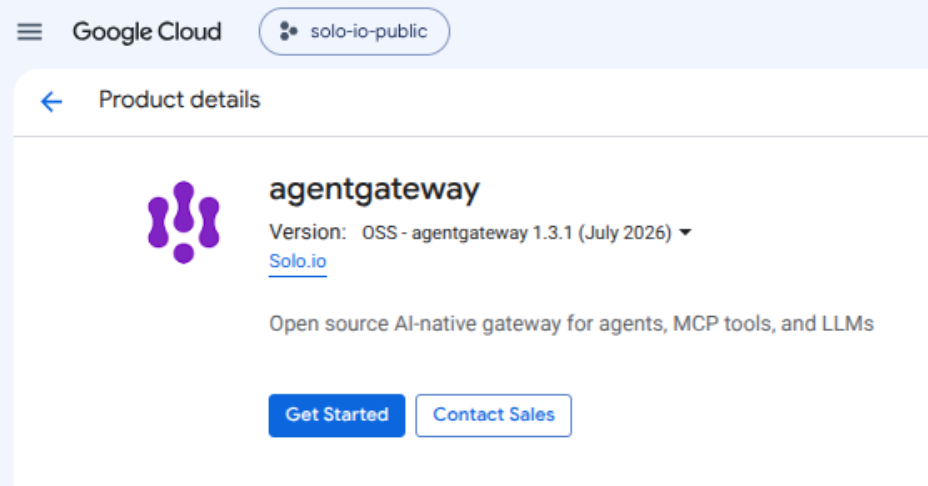
Agentgateway first: pick the cluster, a namespace (agentgateway-system), an app instance name, Deploy. The deployer installs the Gateway API CRDs, the agentgateway CRDs, and the control plane.
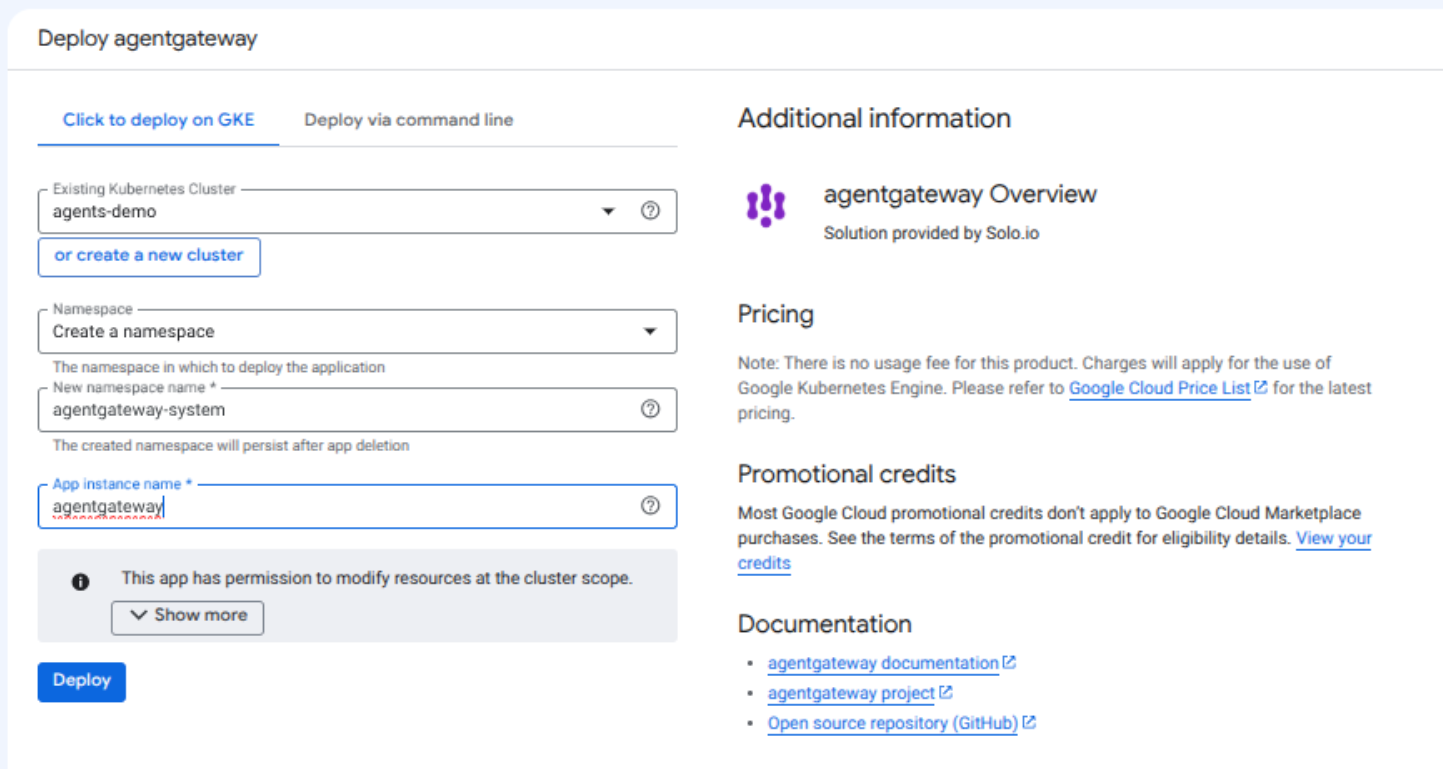
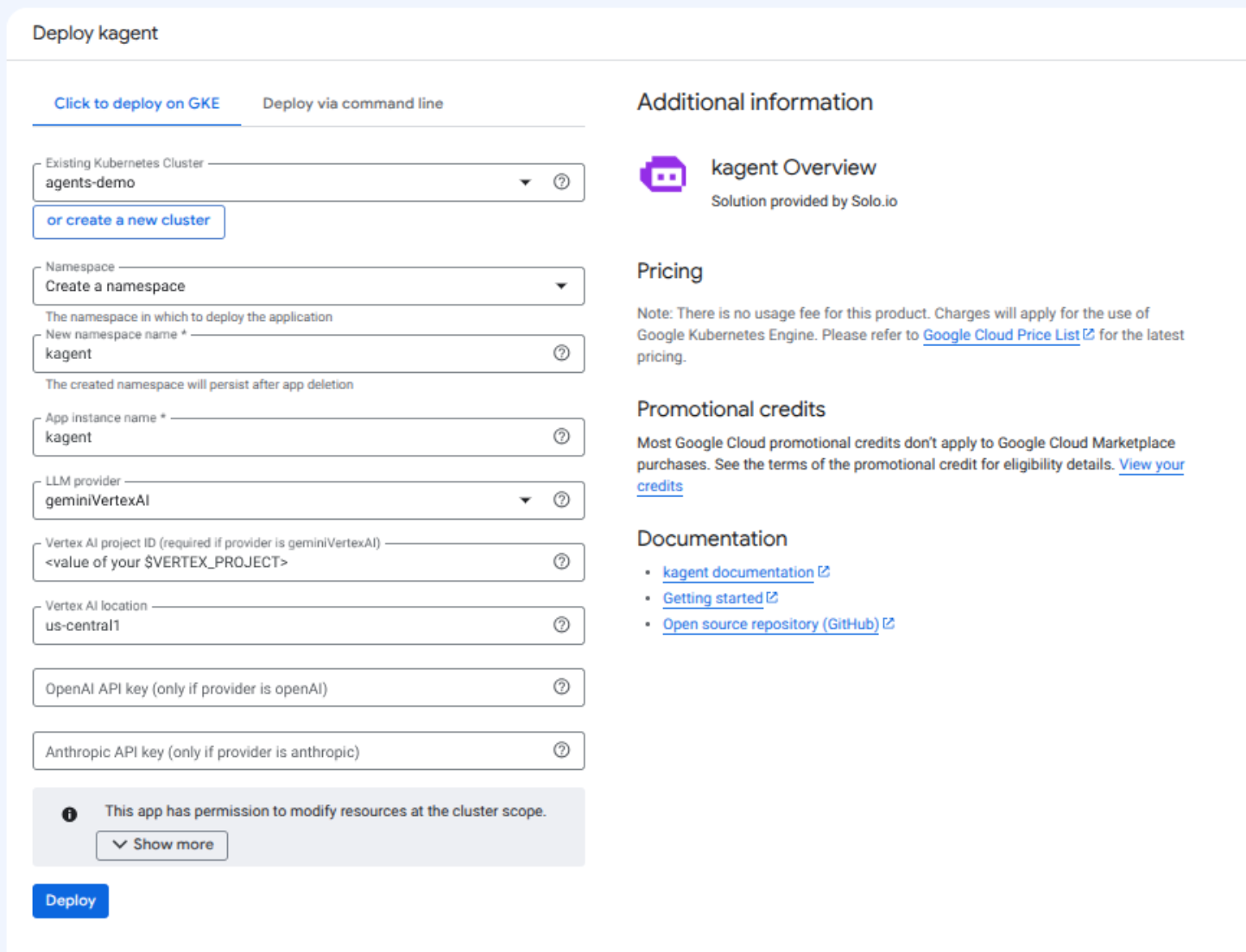
Kagent asks one real question: the LLM provider.
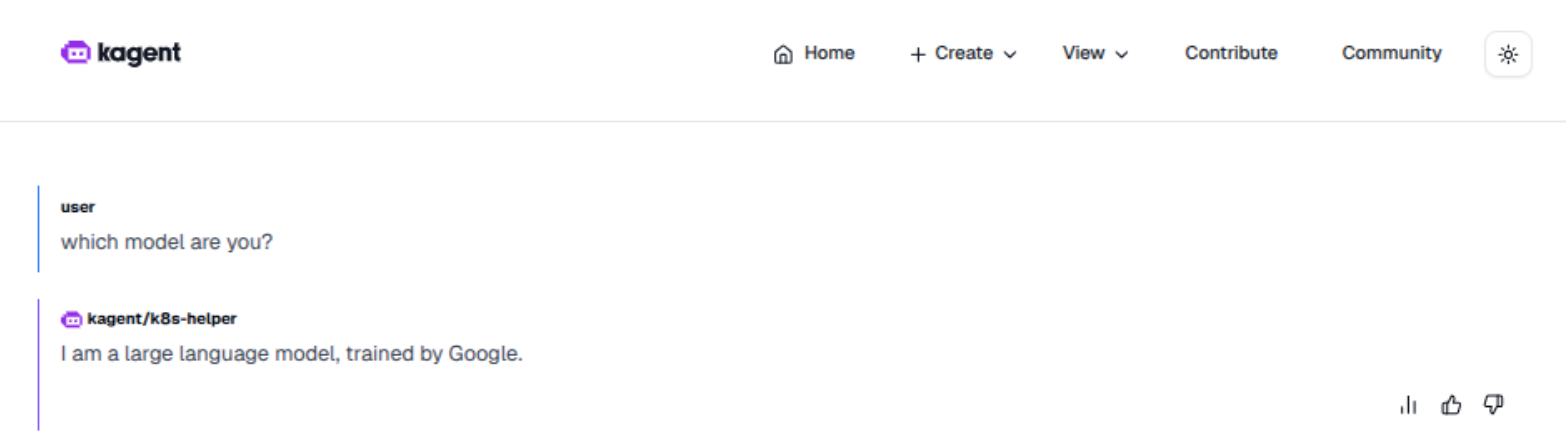
openAIoranthropic: paste the API key into the matching field and you are running in two minutes.geminiVertexAI(the default): inference runs through Vertex AI, so there is no API key at all; agents authenticate with the cluster's Google identity via Workload Identity. The setup is three one-time commands, covered next. The payoff: prompts and completions never leave Google Cloud.
The Vertex AI path, keyless
The Vertex project does not have to be the cluster's project; any project where you can enable APIs and grant IAM works, which helps when the cluster lives in a locked-down project. Set it once:
export VERTEX_PROJECT=<project-that-bills-for-inference>
Enable the API there (billing must be enabled on the project too):
gcloud services enable aiplatform.googleapis.com --project $VERTEX_PROJECT
Grant roles/aiplatform.user to your agent's Workload Identity principal. One detail that matters: the Vertex calls come from the agent's own Kubernetes service account, which kagent names after the Agent resource, one per agent. The commands below use k8s-helper, the agent you will create in the demo; substitute your own agent's name otherwise:
export CLUSTER_PROJECT_NUMBER=$(gcloud projects describe $PROJECT --format='value(projectNumber)')

gcloud projects add-iam-policy-binding $VERTEX_PROJECT --role=roles/aiplatform.user \
 --member="principal://iam.googleapis.com/projects/$CLUSTER_PROJECT_NUMBER/locations/global/workloadIdentityPools/$PROJECT.svc.id.goog/subject/ns/kagent/sa/k8s-helper" \
 --condition=None
Repeat the grant per agent, or point several agents at one shared service account through the Agent resource's deployment.serviceAccountName field and grant once.
Back in the deploy form, enter the $VERTEX_PROJECT value as the Vertex AI project ID; the deploy takes a few minutes.
To make sure a current Gemini model is used, patch the ModelConfig the form created:
kubectl patch modelconfig default-model-config -n kagent --type merge \
 -p '{"spec":{"model":"gemini-2.5-flash"}}'
The running agent picks the change up on its next request; no restart needed.
From there the agent chats through Gemini with no secret material anywhere in the cluster: no key to create, rotate, or leak.
Verify
The console shows the deployment as an Application with a component list; everything should be green within a couple of minutes:
$ kubectl get application -n kagent
NAME     TYPE     VERSION   READY
kagent   kagent   ...

$ kubectl get pods -n kagent
NAME                                             READY   STATUS    RESTARTS   AGE
kagent-controller-...                            1/1     Running   0          2m
kagent-kmcp-controller-manager-...               1/1     Running   0          2m
kagent-postgresql-...                            1/1     Running   0          2m
kagent-tools-...                                 1/1     Running   0          2m
kagent-ui-...                                    1/1     Running   0          2m
Kubernetes Engine, Applications in the console gives the same picture with links into every component.
Next steps
Same as everywhere: the demo from the announcement post runs unchanged on GKE: configure the provider (already done if you filled the form), create an agent, expose it through agentgateway. If you took the Vertex AI path, you get the full agent stack with model calls that never leave your Google Cloud project.


%20(1).png)





%20a%20Bad%20Idea.png)