Uber ran out of their yearly token budget in four months. Tech executives at NVIDIA have said token costs far exceed the cost of human employees. Microsoft instructed certain teams to stop using AI coding assistants due to untenable bills.
These are all stories that we hear constantly and without getting cost management and token spending under control, AI will not be tenable for the majority of organizations, especially small-to-medium sized companies.
In this blog post, you’ll learn how to use agentgateway to remove those risks, get your AI cost under control, and remove unnecessary token spend. The goal is to see a few new and existing ways that agentgateway helps with overall cost and token optimization.
Quick AGW Deployment Guide
To ensure that cost optimization can be obtained from agentgateway, agentgateway needs to be deployed. It’s the same deployment as you’d usually do for agentgateway, but with the cost management flag.
- Deploy agentgateway and the Kubernetes Gateway API CRDs.
export AGENTGATEWAY_LICENSE_KEY=<agentgateway-license-key>

kubectl apply -f https://github.com/kubernetes-sigs/gateway-api/releases/download/v1.5.0/standard-install.yaml

helm upgrade -i --create-namespace \
  --namespace agentgateway-system \
  --version v2026.6.3 enterprise-agentgateway-crds oci://us-docker.pkg.dev/solo-public/enterprise-agentgateway/charts/enterprise-agentgateway-crds \
  --create-namespace

helm upgrade -i -n agentgateway-system enterprise-agentgateway oci://us-docker.pkg.dev/solo-public/enterprise-agentgateway/charts/enterprise-agentgateway \
--version v2026.6.3  \
--set-string licensing.licenseKey=${AGENTGATEWAY_LICENSE_KEY}- Deploy the Management chart (the agw UI). The key is that within the management UI, the cost flag is set to
true.
helm upgrade -i management oci://us-docker.pkg.dev/solo-public/solo-enterprise-helm/charts/management \
  --namespace agentgateway-system \
  --create-namespace \
  --version 0.4.8 \
  --set cluster="mgmt-cluster" \
  --set products.agentgateway.enabled=true \
  --set-string licensing.licenseKey=${AGENTGATEWAY_LICENSE_KEY} \
  --set products.agentgateway.features.cost-management=true
Without the --set products.agentgateway.features.cost-management=true feature flag, you won’t see cost management or virtual keys.
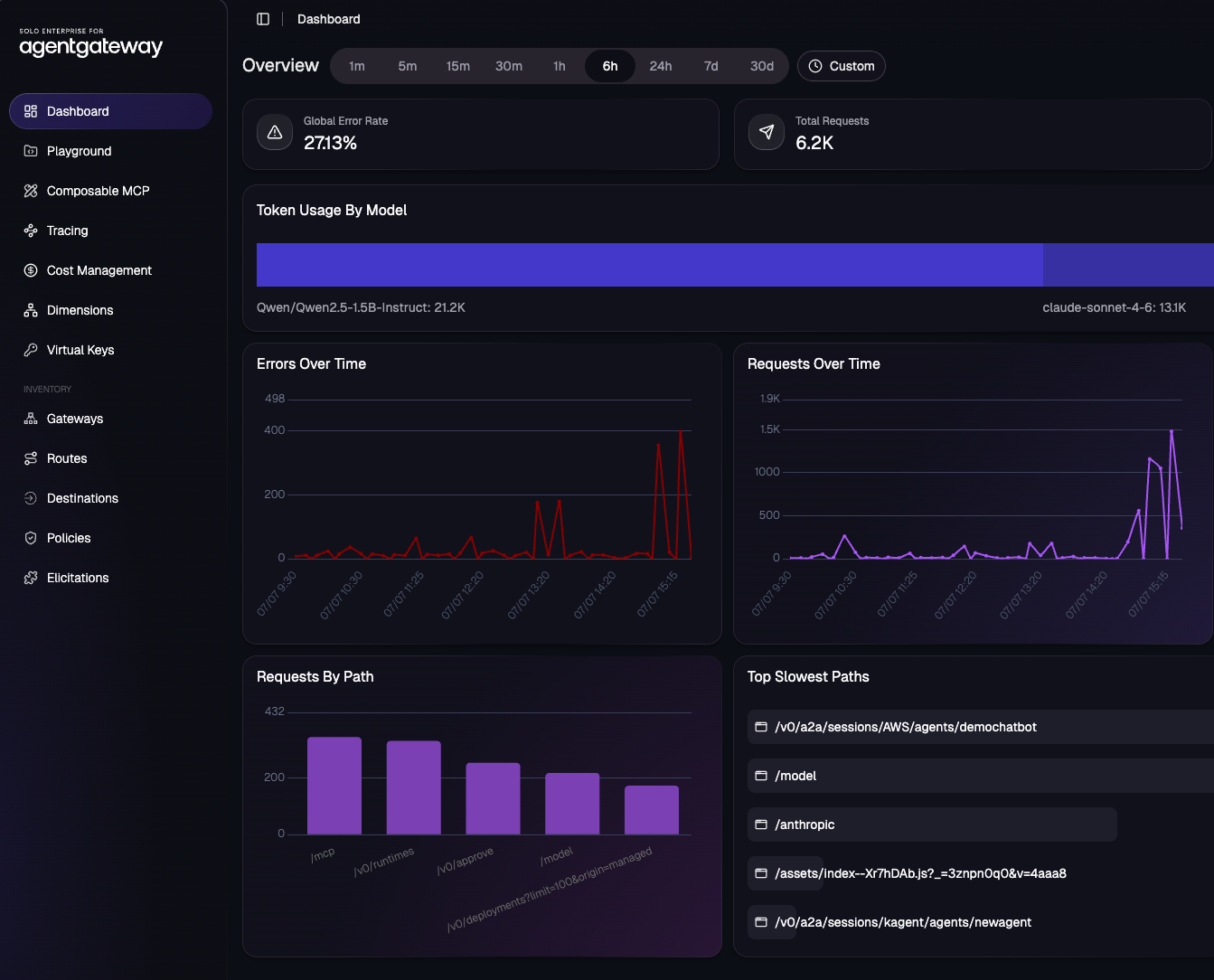
With agentgateway deployed, you should now see the Cost Management tab.
Navigating The Cost Dashboard
With agentgateway deployed, you’ll see a few new tabs - Cost Management and Virtual Keys. Cost Management consists of:
- Dashboard
- Model Cost Catalog
- Budgets
The dashboard is where you can see spend over time and spend by, which include the ability to filter by provider, model, user, and group.
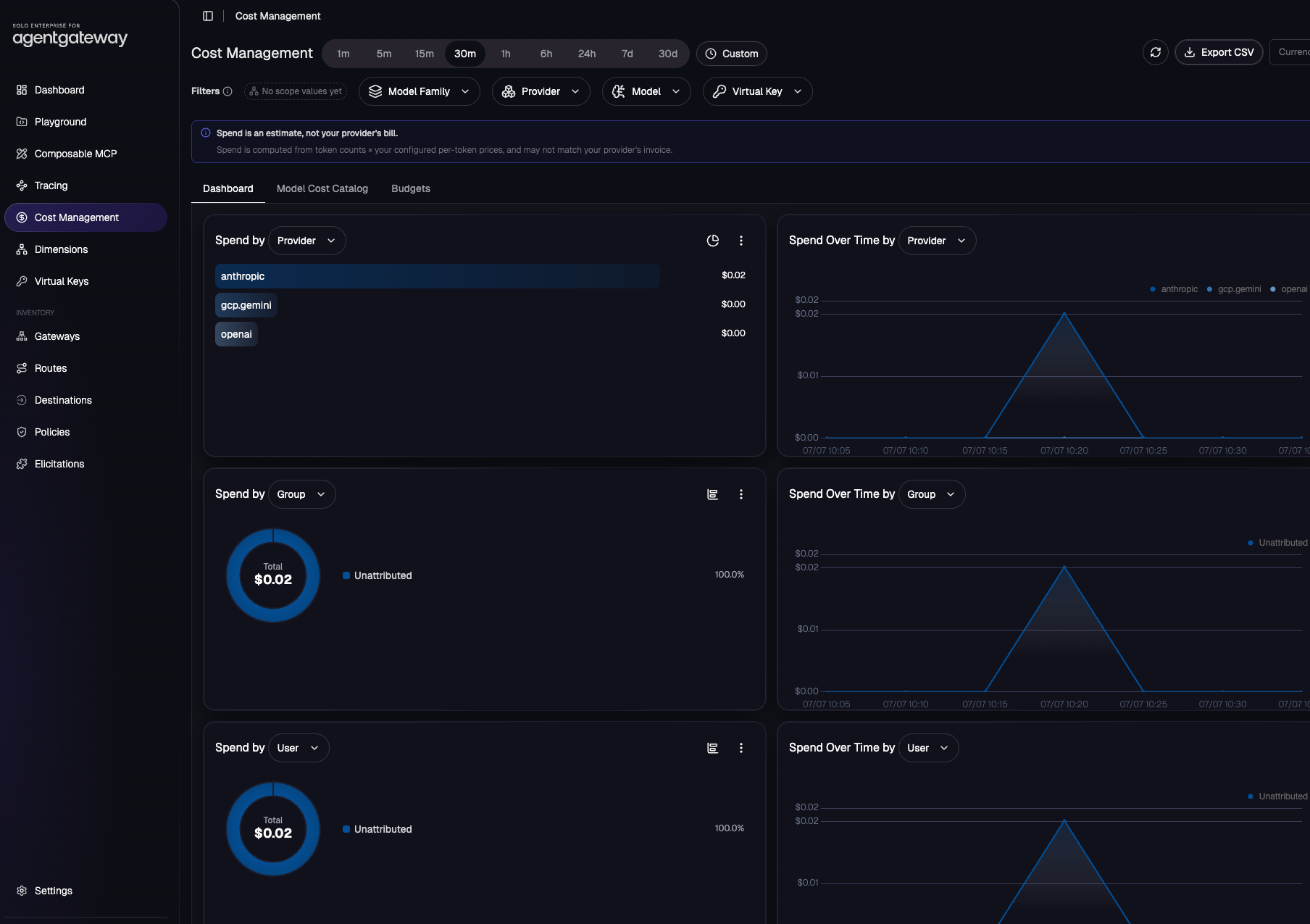
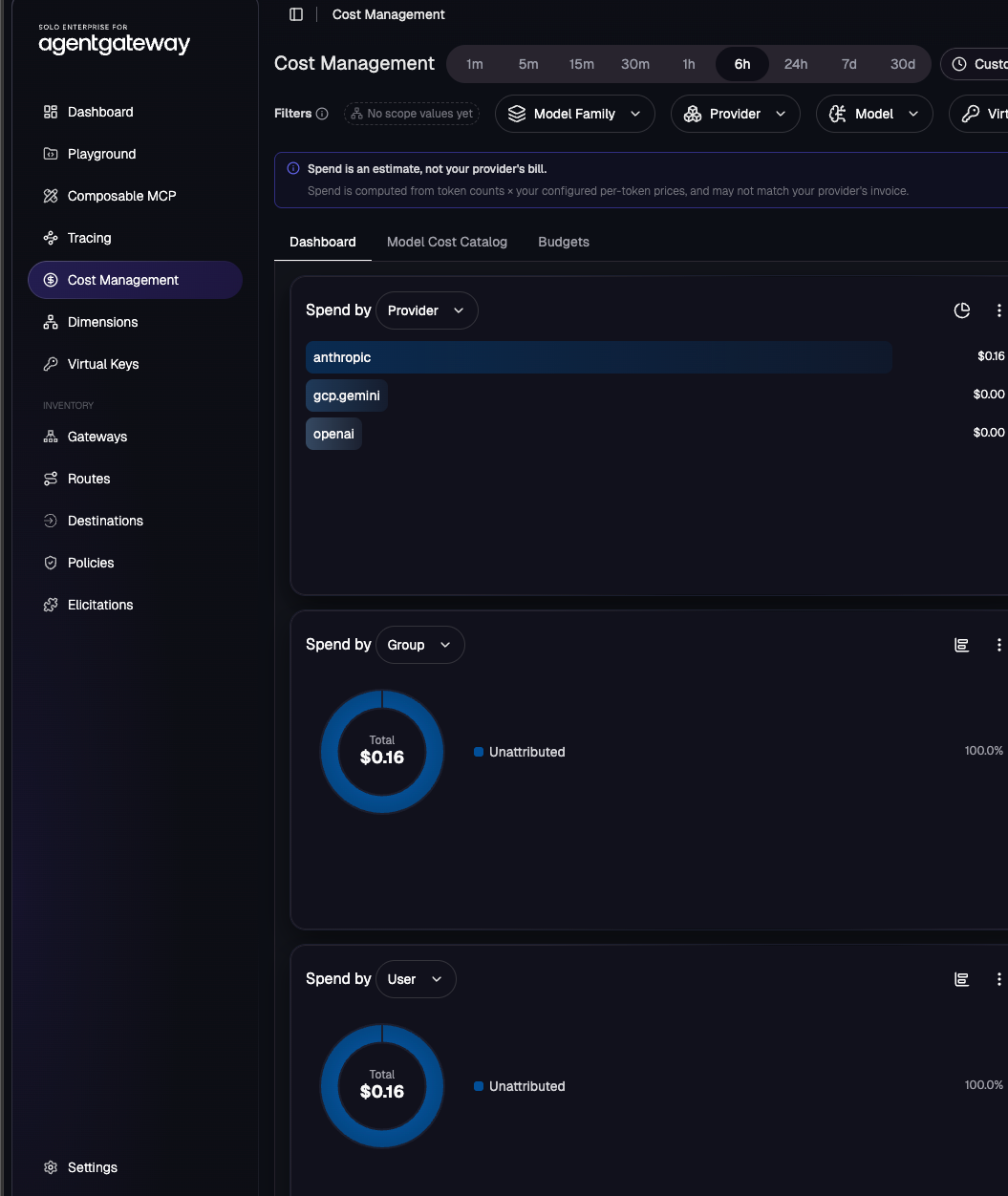
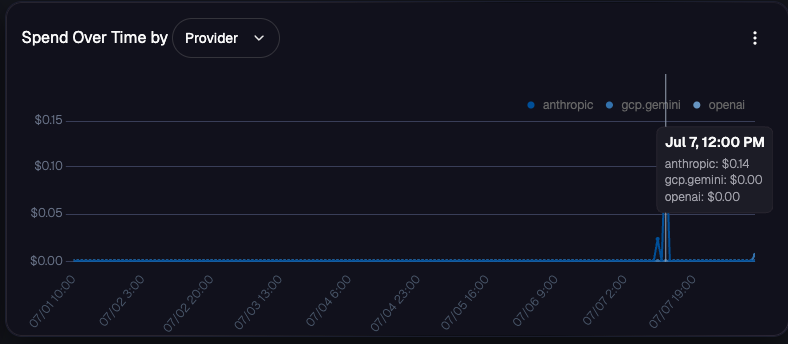
You can filter down the “Spend Over Time” to show the spend of models and providers.
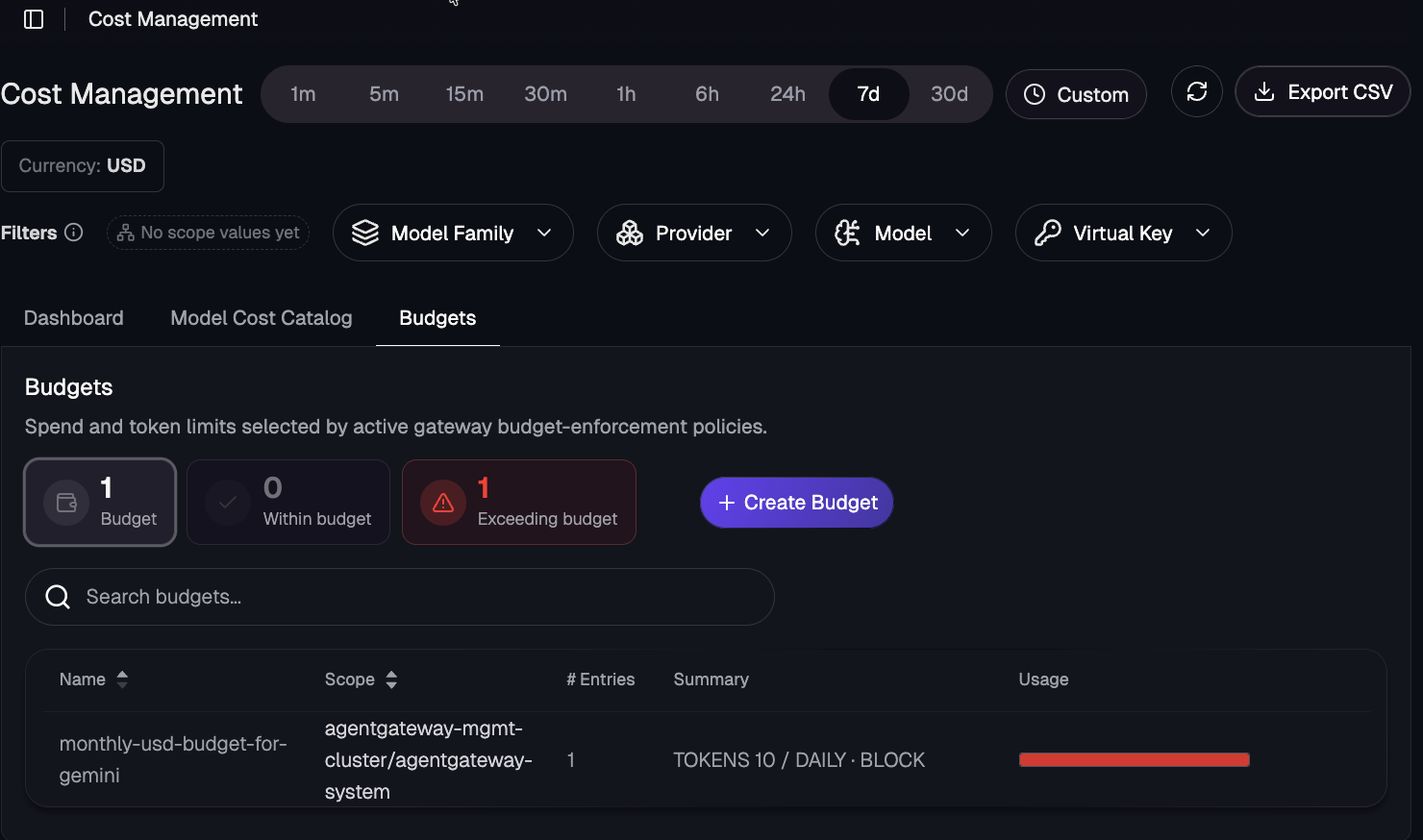
The budgets tab allows you to create budgets based on limits for tokens and spend.
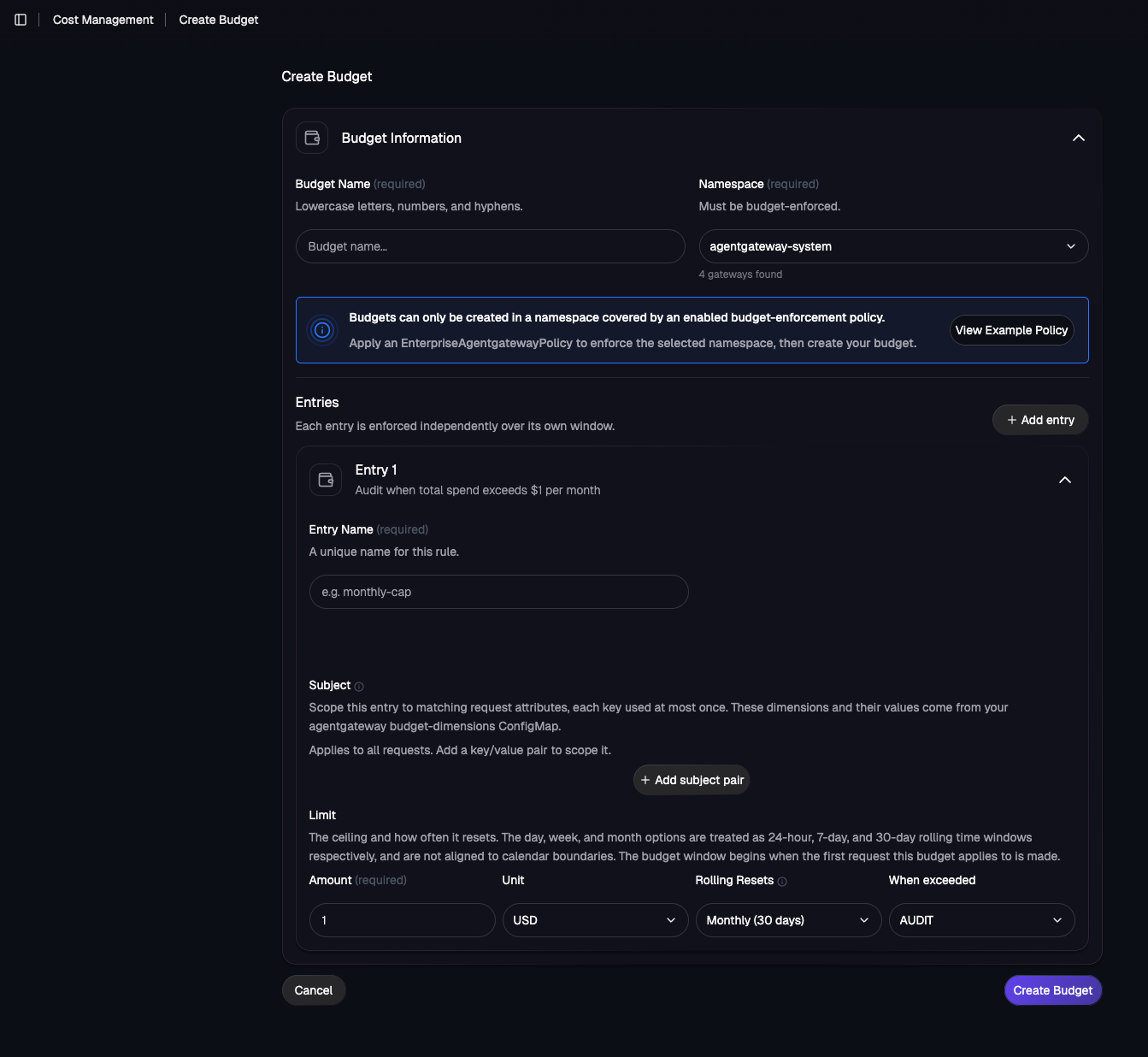
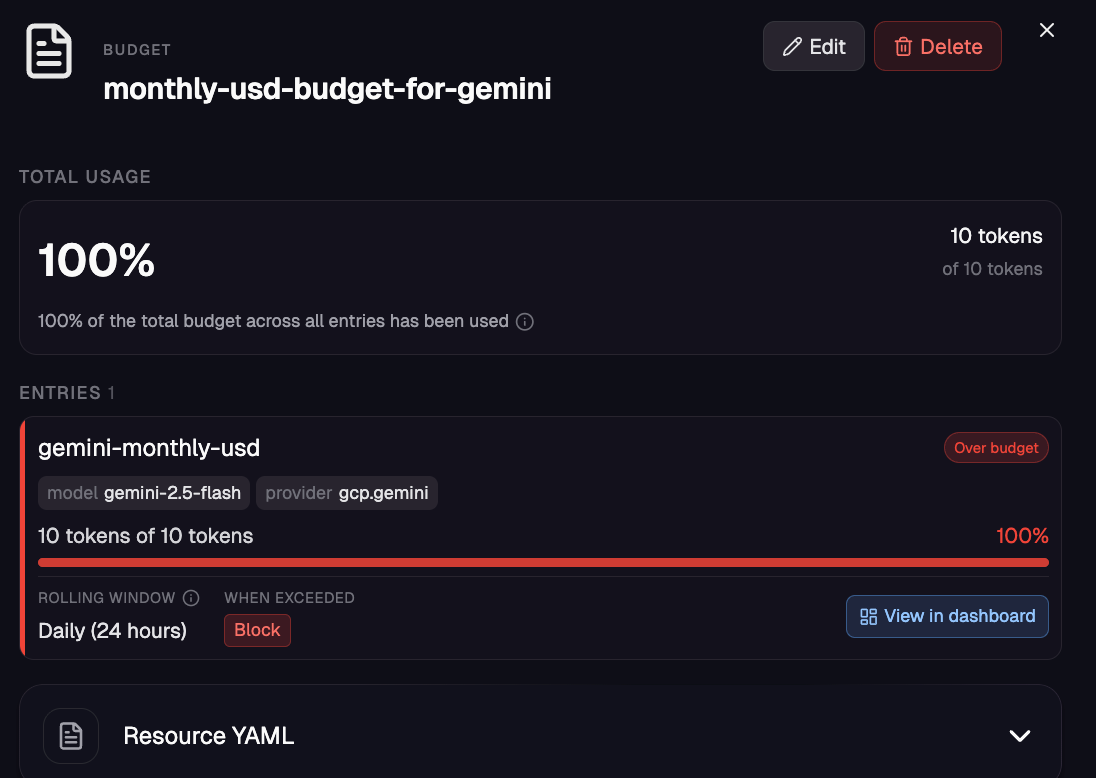
For example, here’s a budget that was created to limit an HTTPRoute to 10 tokens per day (this is of course just for testing purposes and wouldn’t be realistic to make this type of limitations).
Bundled with agentgateway, there’s also a Model Cost Catalog where you can see based on the day, how much a token is per provider and how much you’ve spent based on the LLM that’s being used to route agentic traffic to via agentgateway/your agent runtime.
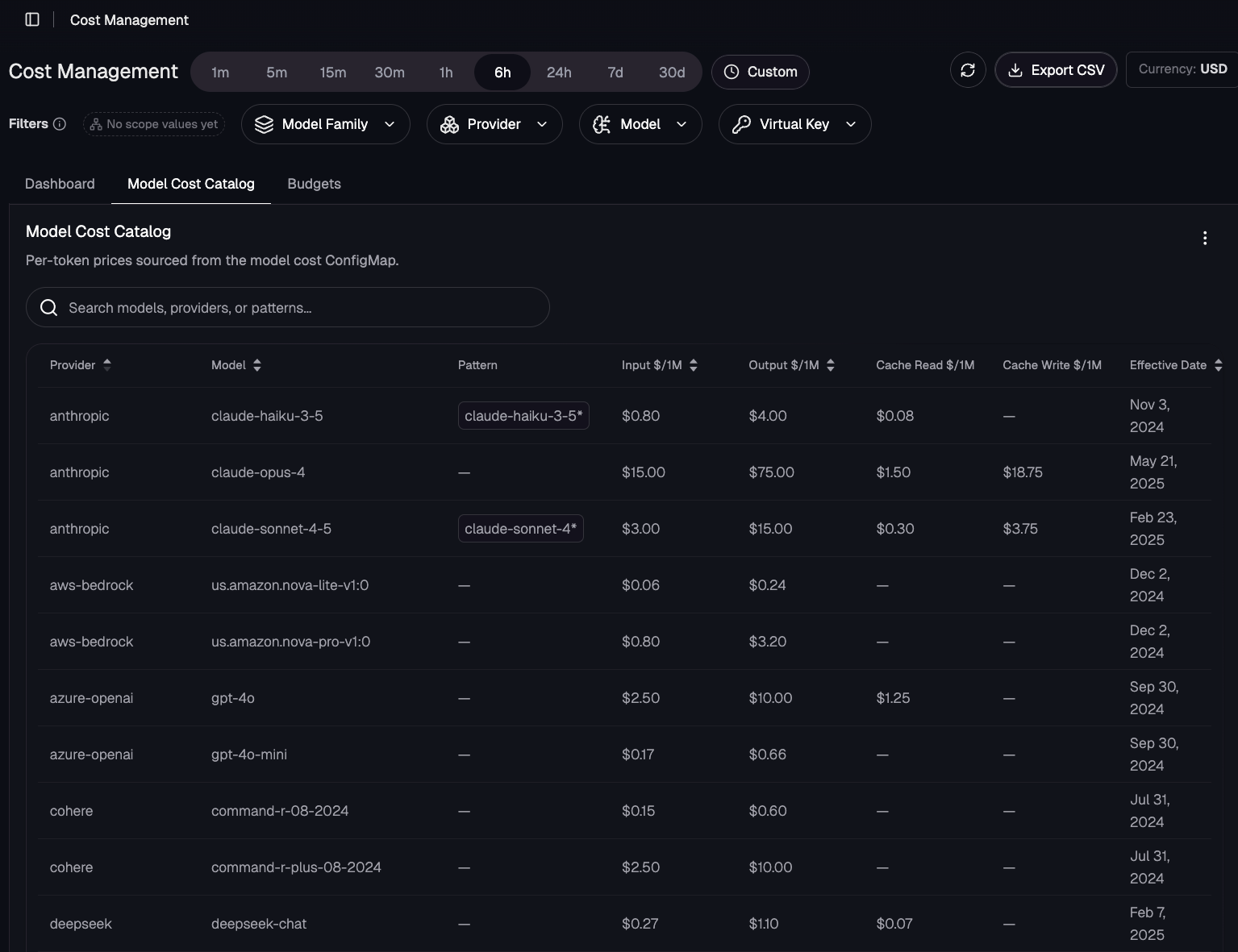
With cost management dashboards, cost catalogs, and budgets, you have a full suite of capabilities to know exactly how much tokens are costing your organization across teams, users, models, and LLM providers.
Metric-Based Observability
Aside from a UI/graphical representation of the data, you also have the data exposed via metrics. The metrics allow you to, for example, have an OTel Metrics Exporter for whatever monitoring/observability tool you use (Grafana/Prometheus, Datadog, App Dynamics, New Relic, etc.) so you can view them in your dashboard of choice.
There are GenAI cost/token metrics emitted by agentgateway:
Agentgateway_gen_ai_client_cost_usd_totalAgentgateway_gen_ai_client_token_usage_sumAgentgateway_cost_catalog_lookups_total
You can see these via, for example, Prometheus.
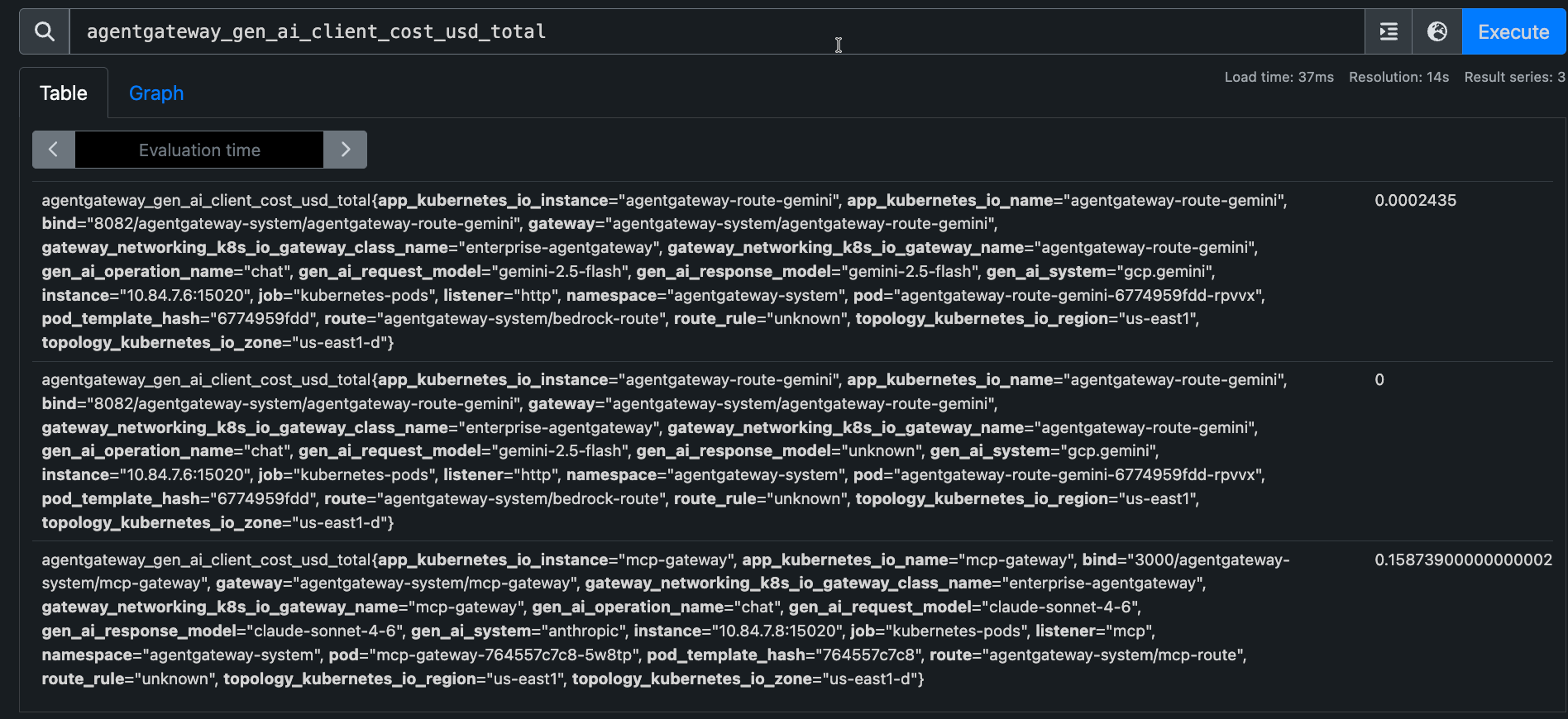
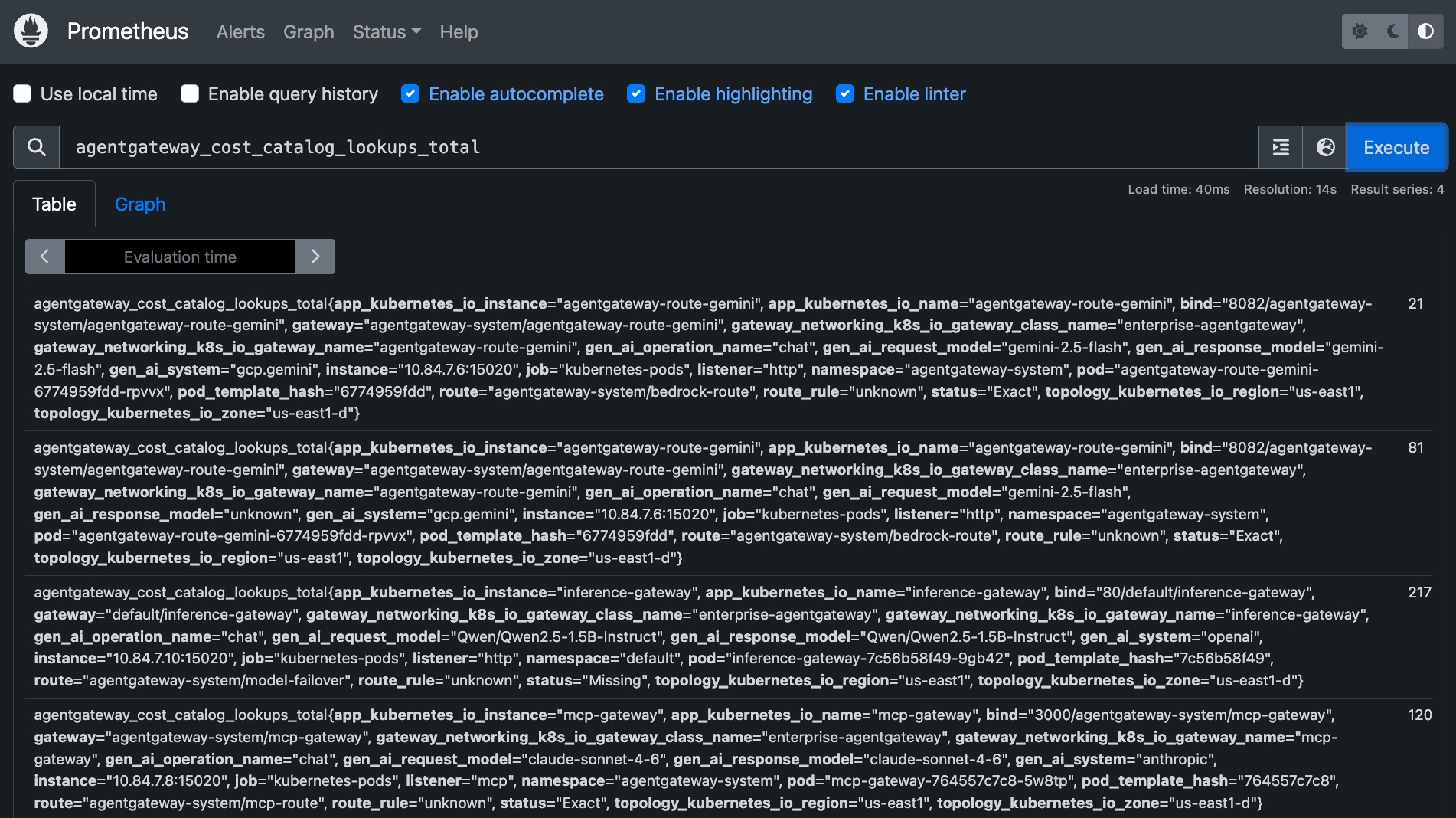
Sidenote: The agw management UI uses ClickHouse-backed telemetry; Prometheus/Grafana uses agentgateway-emitted metrics.
Budget CRD
Along with budget creation/management from the agentgateway enterprise UI, you can also set budgets via the new EnterpriseAgentgatewayBudget CRD.
The object/API is as follows:
apiVersion: enterpriseagentgateway.solo.io/v1alpha1
kind: EnterpriseAgentgatewayBudget
It supports budget units (tokens/USD), windows (days, weeks, months, years), actions (audit/block), and subject dimensions (virtual keys, models, providers).
To test it out, you can create an EnterpriseAgentgatewayBudget that blocks a particular model/provider after 10 tokens are used.
kubectl apply -f - <<EOF
apiVersion: enterpriseagentgateway.solo.io/v1alpha1
kind: EnterpriseAgentgatewayBudget
metadata:
  name: daily-token-budget-for-gemini
  namespace: agentgateway-system
spec:
  budgets:
    - name: gemini-monthly-usd
      subject:
        provider: gcp.gemini
        model: gemini-2.5-flash
      limit:
        unit: Tokens
        amount: 10
      window:
        unit: Day
      onBudgetExceeded: Block
You’d then create an EnterpriseAgentgatewayPolicy that attaches the new budget to an HTTPRoute.
kubectl apply -f - <<EOF
apiVersion: enterpriseagentgateway.solo.io/v1alpha1
kind: EnterpriseAgentgatewayPolicy
metadata:
  name: enable-budget-enforcement
  namespace: agentgateway-system
spec:
  targetRefs:
    - group: gateway.networking.k8s.io
      kind: HTTPRoute
      name: gemini-route
  traffic:
    entBudgetEnforcement:
      discovery:
        namespaces: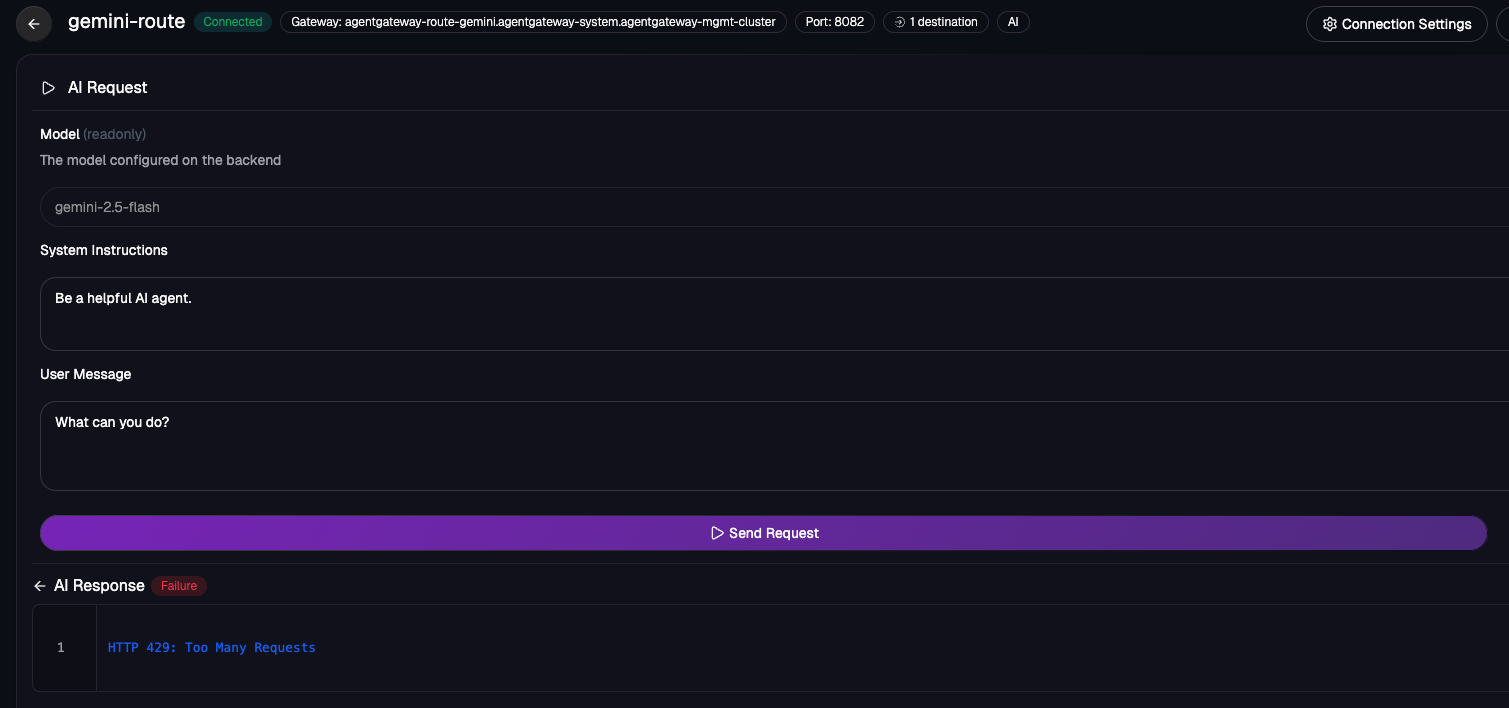
Aside from setting budgets with tokens, you can also set budgets with dollars.
apiVersion: enterpriseagentgateway.solo.io/v1alpha1
kind: EnterpriseAgentgatewayBudget
metadata:
  name: monthly-usd-budget-for-gemini
  namespace: team-alpha
spec:
  budgets:
    - name: gemini-monthly-usd
      subject:
        provider: gcp.gemini
        model: gemini-2.5-flash
      limit:
        unit: USD
        amount: 50
      window:
        unit: Month
      onBudgetExceeded: Audit
Wrapping Up
The way that we think about, and ultimately implement, token budget restrictions across an organization will dictate how AI is looked at from a usefulness perspective and a “realistic implementation” perspective. If token usage, and therefore real dollars, outweighs the cost of simply hiring an engineer or not doing the task at all, organizations may lose faith in what AI can do for them. However, with proper Agent Harnesses, Agent tasks, and cost optimization in place, companies will get the best benefits out of AI without breaking the bank.
Learn more about agentgateway here.


%20(1).png)







%20a%20Bad%20Idea.png)