MCP servers are cropping up all over the enterprise like weeds in a nice lawn. And just like weeds, this can cause problems. MCP servers should be secured, but how? The official spec says use OAuth, but that is not appropriate within an enterprise organization.
On a recent LinkedIn post I made the point:
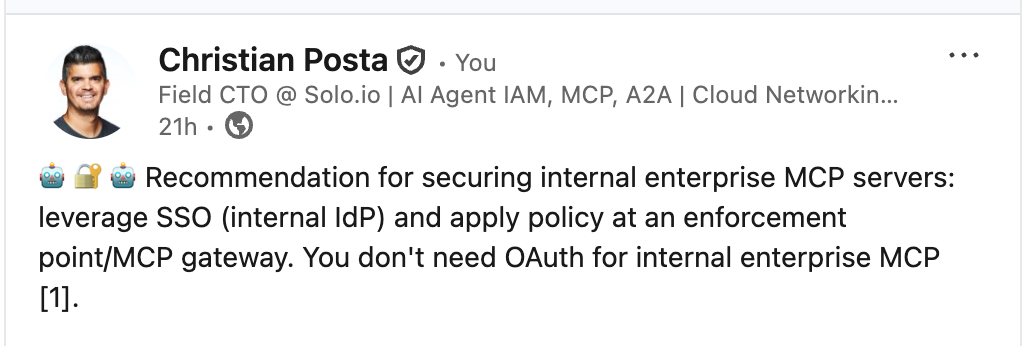
Any internal enterprise MCP client / AI agent that communicates to an [remote] MCP server should be secured with enterprise SSO. If the agent is acting autonomously, then agent identity should be enforced. But that is for a different post… (check out my 5 part series on Entra Agent ID).
A lot of enterprise organizations use Microsoft Entra ID for their enterprise IdP. In this blog, we take a look at securing ALL MCP access with Entra ID SSO.
SSO has been around for a long time, so what’s the big difference here? They main thing is SSO is usually done in browser based applications. MCP clients are not usually browser applications. For example, VS code, Cursor, Claude, and other AI agents can run on a desktop, mobile, or cloud environment. A browser may be “around” but they are not always the direct interface. So for us to accomplish SSO from an MCP client to an MCP server, the MCP protocol must support it.
OIDC is based on OAuth, and we can perform OIDC logins by leveraging the MCP Authorization spec. And we can do this consistently for all agents/MCP clients regardless of what the backend MCP server is (ie, running within enterprise, hosted by a vendor, SaaS, etc). By tying to enterprise SSO we can apply policy to the MCP usage before it reaches the MCP server. Is this client allowed to access this MCP server? What tools are they allowed to see?
Agentgateway is a powerful opensource (Linux Foundation) MCP gateway that implements the MCP Authorization spec. That means we don’t have to try and re-write all MCP servers to use Entra. We can do it automatically from an MCP gateway.
Let’s look at an example configuration for Agentgateway:
mcpAuthentication:
  mode: strict
  issuer: https://sts.windows.net/${ENTRA_TENANT_ID}/
  jwks:
    url: https://login.microsoftonline.com/${ENTRA_TENANT_ID}/discovery/v2.0/keys
  audiences:
  - api://b92d6e60-86ff-4359-b971-04404fe079ec
  resourceMetadata:
    authorizationServers:
    - https://login.microsoftonline.com/${ENTRA_TENANT_ID}/v2.0
    resource: https://ceposta-agw.ngrok.io/entra/mcp
    scopesSupported:
    - api://b92d6e60-86ff-4359-b971-04404fe079ec/mcp_access
    # - openid
    # - profile
    bearerMethodsSupported:
    - header
    - body
    - query
    resourceDocumentation: https://ceposta-agw.ngrok.io/entra/mcp/docs
    resourcePolicyUri: https://ceposta-agw.ngrok.io/entra/mcp/policies
This piece of YAML is all that’s needed to implement the MCP Authorization spec to force SSO flows to ANY MCP server hosted on the gateway.
The real detail is in how we configure Entra for this.
Digging into Entra ID for MCP SSO
To use Entra ID for this, we need to set up an Entra App Registration. This will be used to represent our Agentgateway. Can the MCP client access our Agentgateway? We want the Entra ID tokens to be scoped for this. Any other complex authorization policy can be handled with Agentgateway and potentially calling out to a ReBAC engine like OpenFGA.
This Entra stuff takes some attention to detail, so let’s follow it step by step setting up an App Registration for Agentgateway.
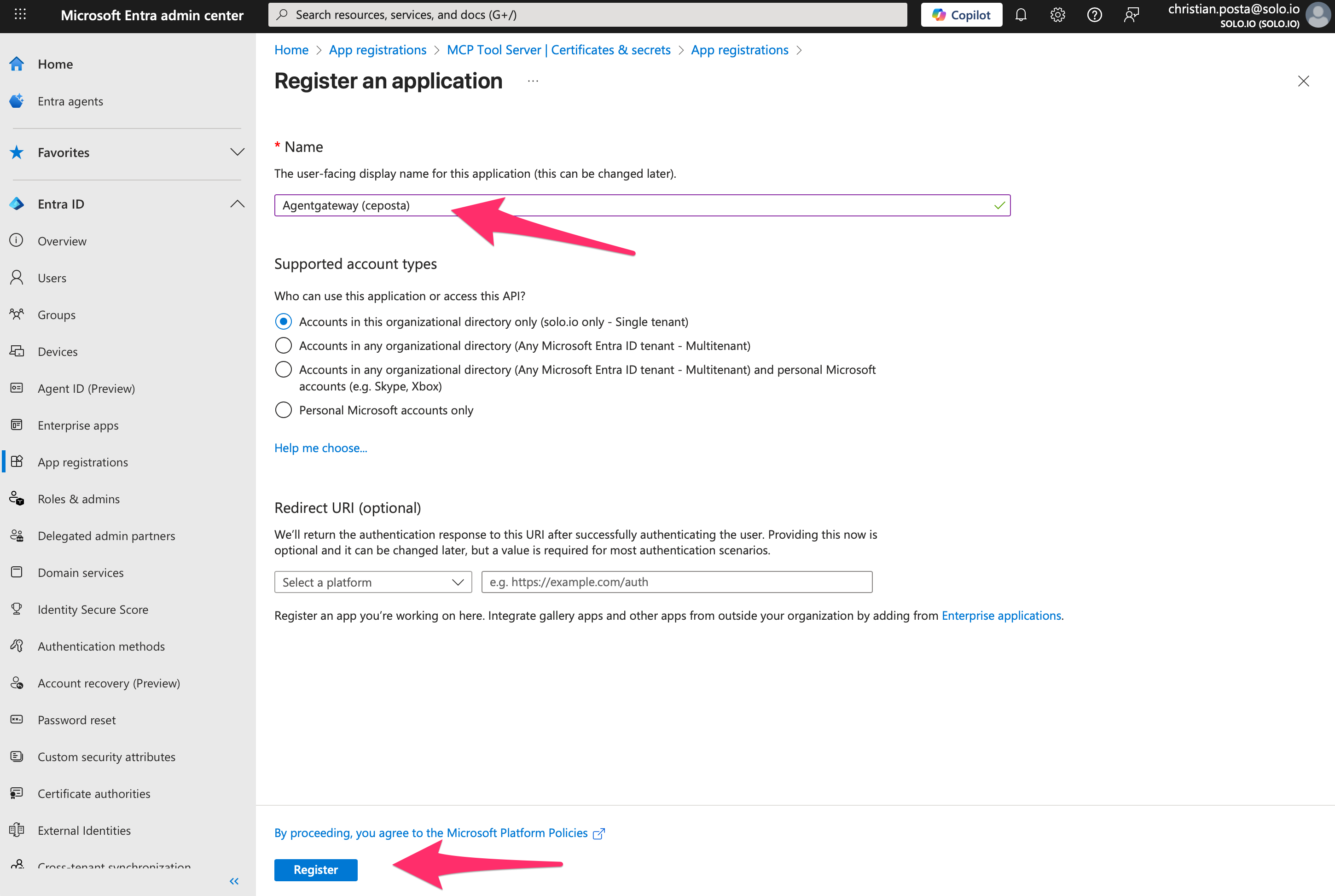
Step 1. Create App Registration
Click “Create Application” to begin the registration process. We won’t add any redirect URIs since this app is just used to represent the Agentgateway application, it won’t be doing any oauth flows itself. The MCP clients do that.
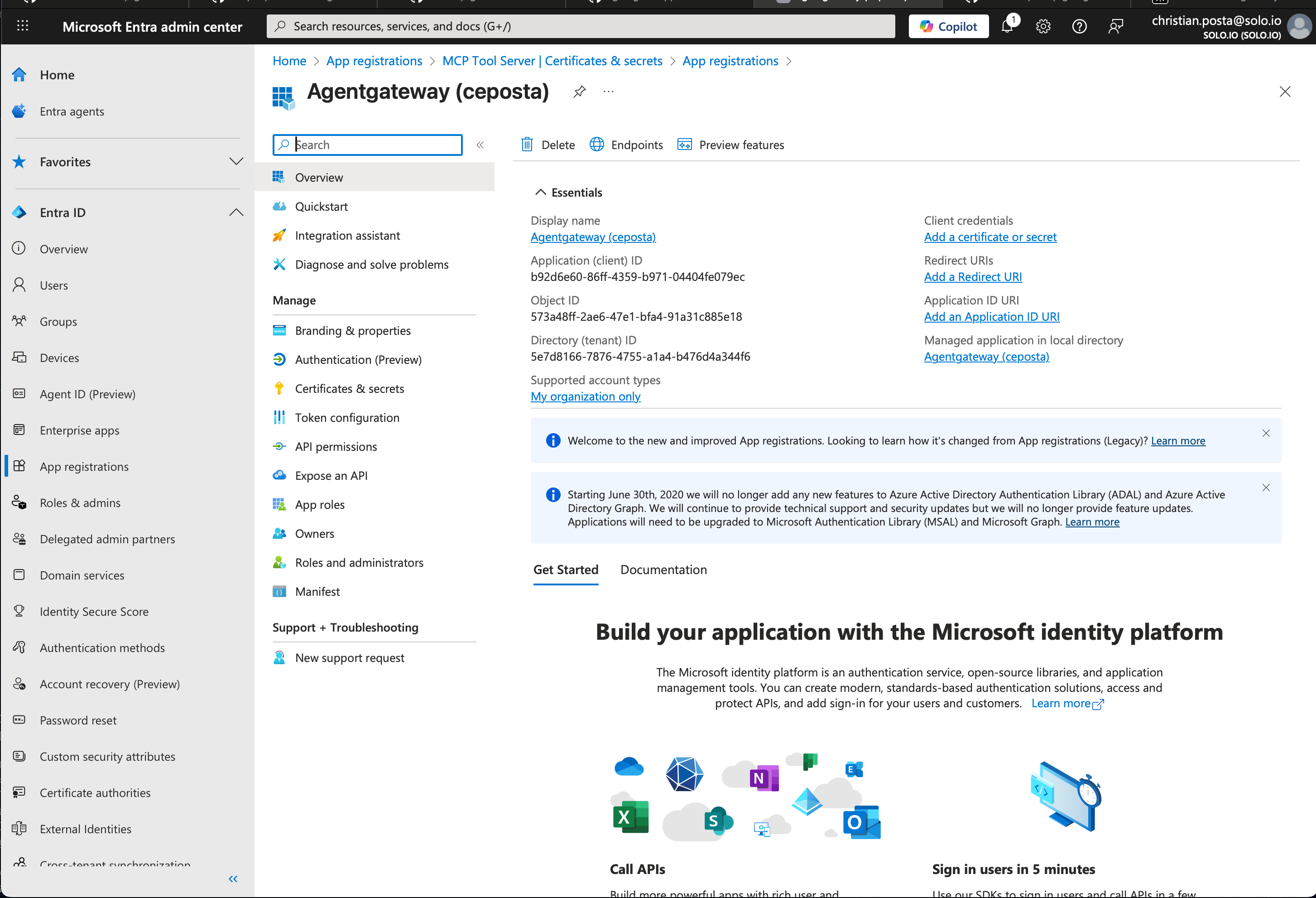
Step 2. App Registration Configured
Once the application registration is created, you can see things like it’s service principal / client_id (b92d6e60-86ff-4359-b971-04404fe079ec in our case). You don’t need to add any credentials to this app, but we do want to configure scopes that can be requested so that Entra can correctly configure the aud claim in any tokens it issues.
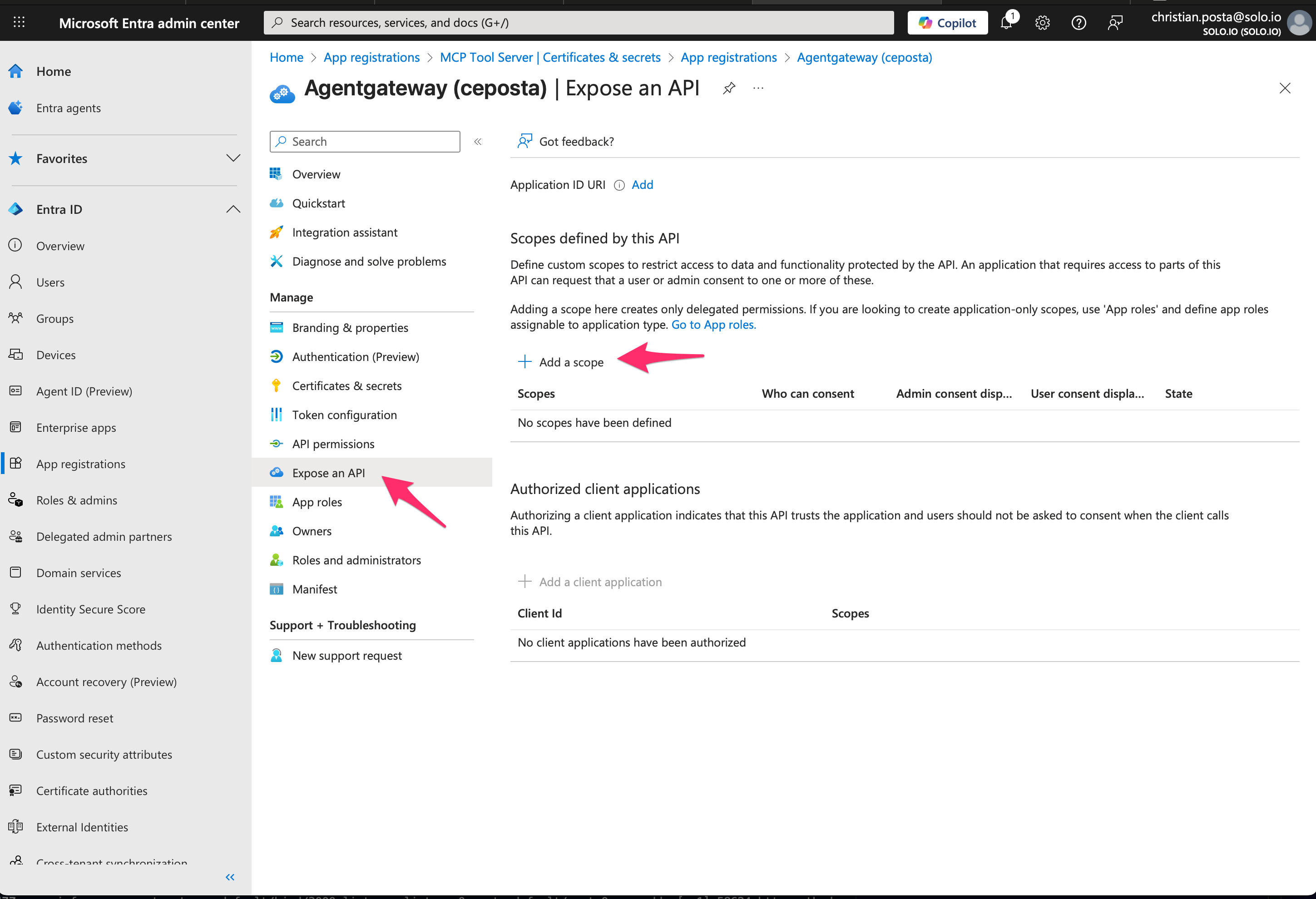
Step 3. Add Scopes
Click “Expose an API” –> “Add a Scope”:
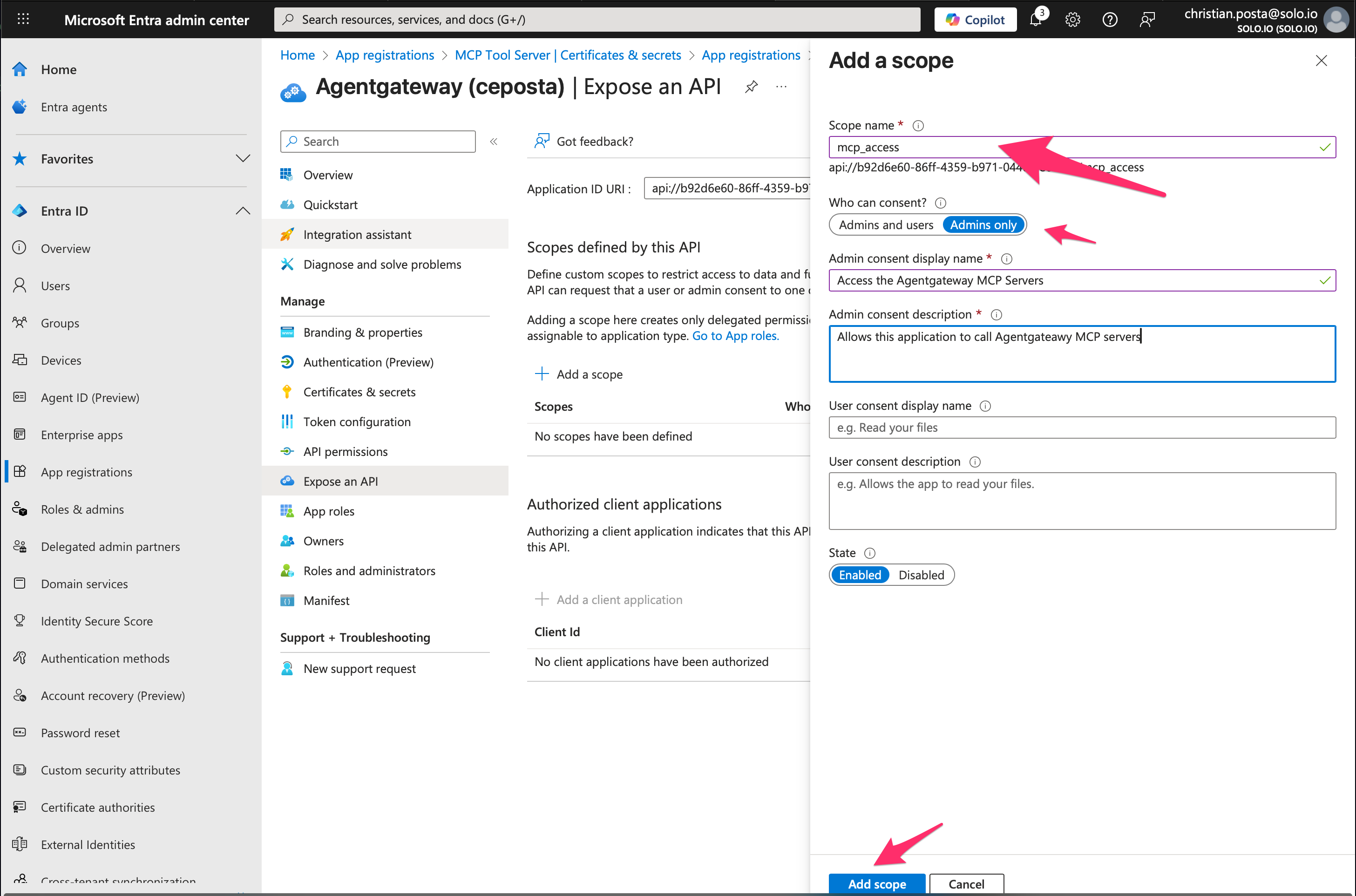
Step 4. Configure Scope for Agentgateway access
Adding a new scope called mcp_access, leave it as Admin consent and fill in some details that would be displayed on any consent screens. To request the scope, you use the full scope name: api://b92d6e60-86ff-4359-b971-04404fe079ec/mcp_access
Step 5. (Optional - Recommended) add pre-consented Clients
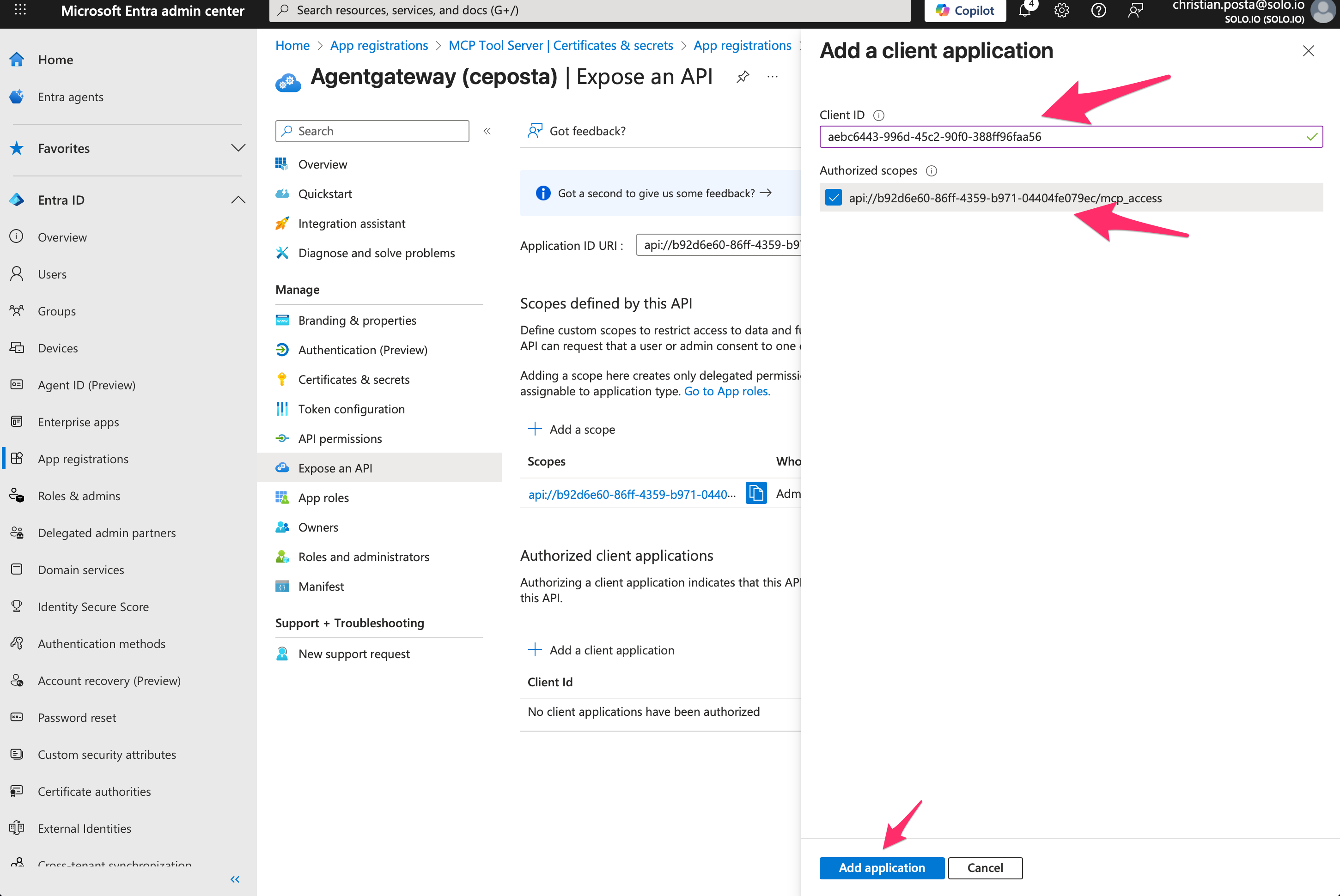
Lastly, we can configure which clients are allowed to request these scopes. For example, we can add the public VS Code client (ie, it’s baked into VS code): aebc6443-996d-45c2-90f0-388ff96faa56.
Testing MCP SSO + Entra
We can run our agentgateway (see source code):
agentgateway -f ./config/agentgateway.yaml
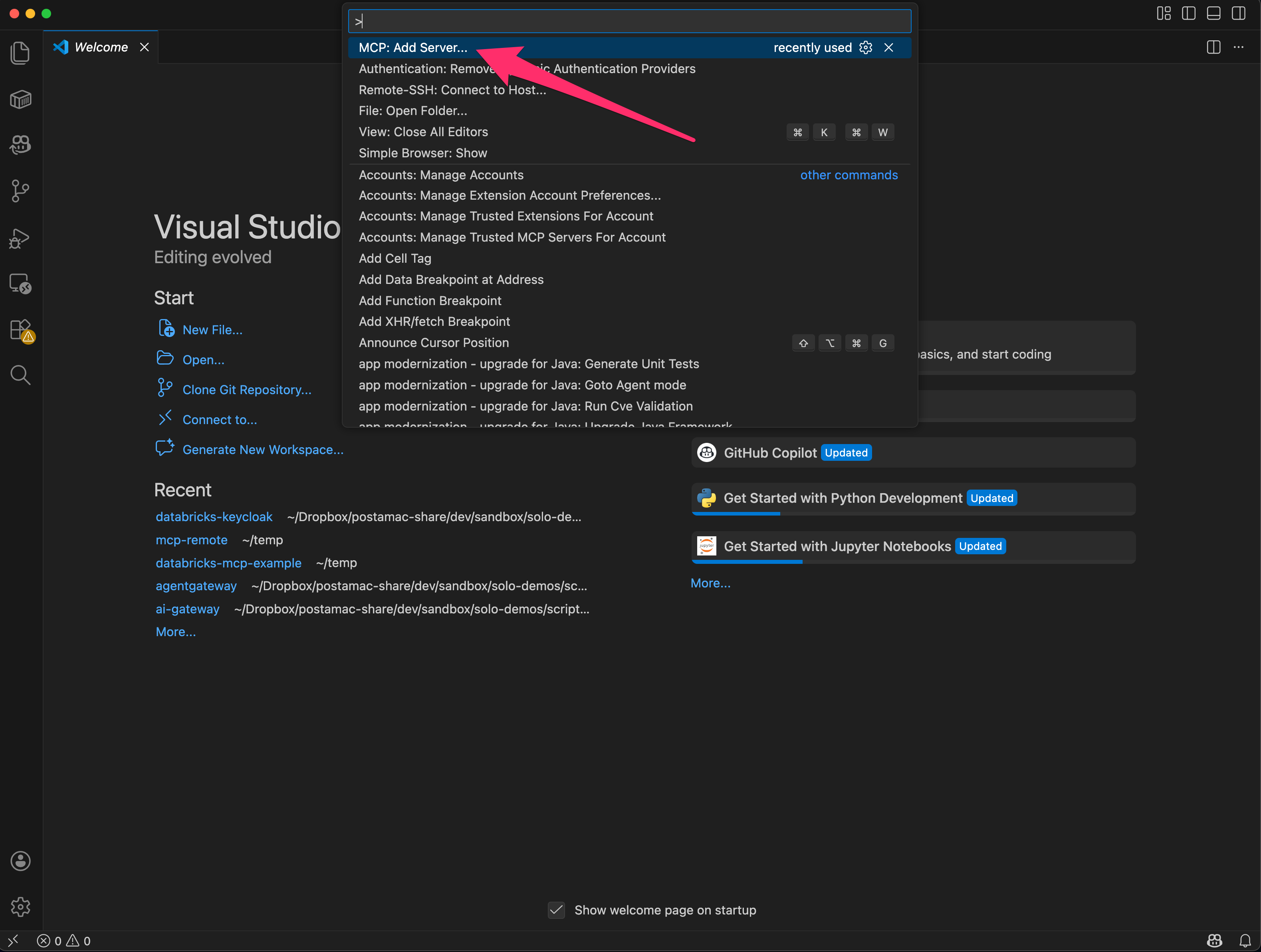
And if we go to VS Code, we can add our new server:
Step 1. Add MCP Server
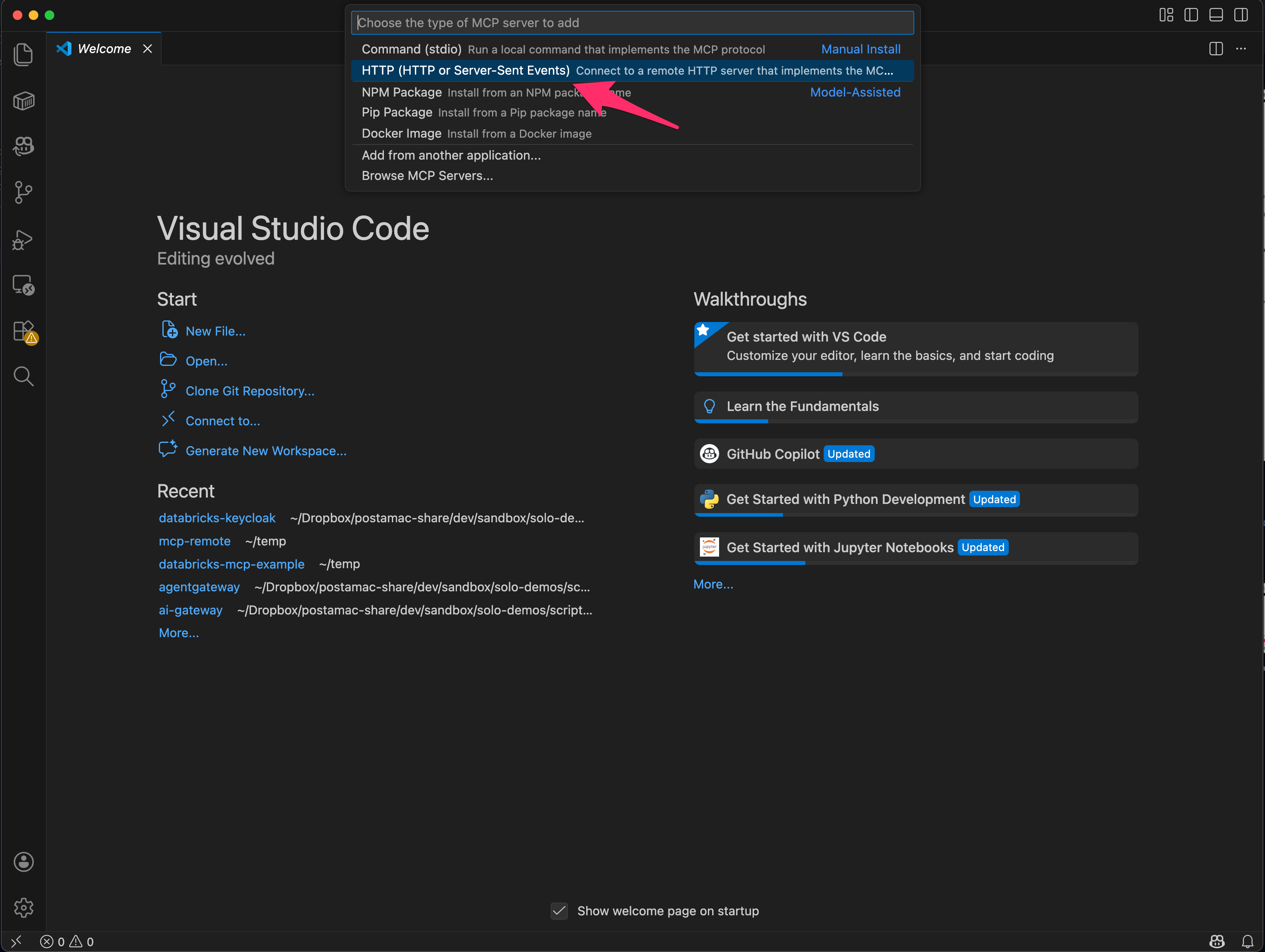
Step 2. Configure Streamable HTTP MCP Server
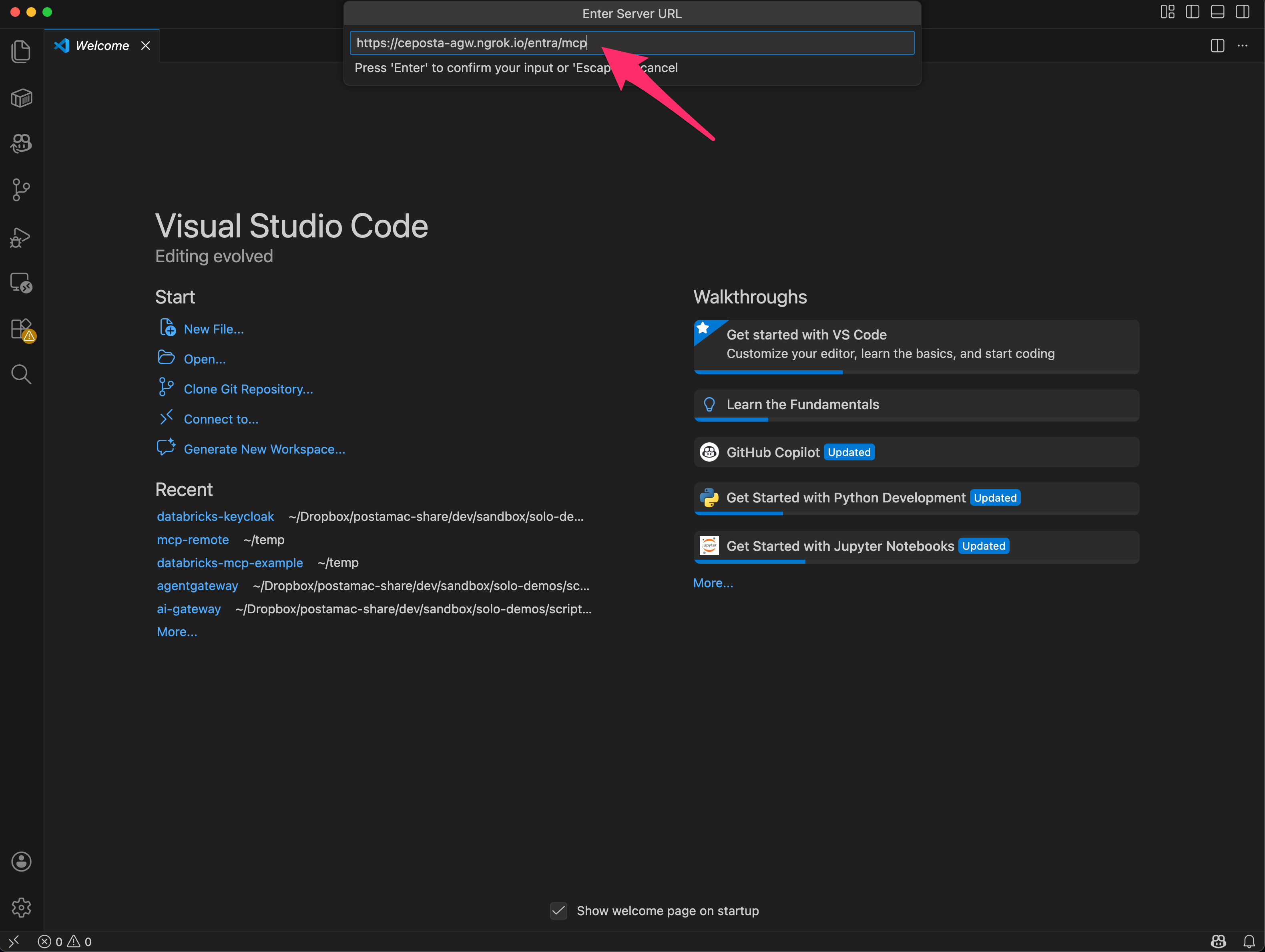
Step 3. Configure MCP URL
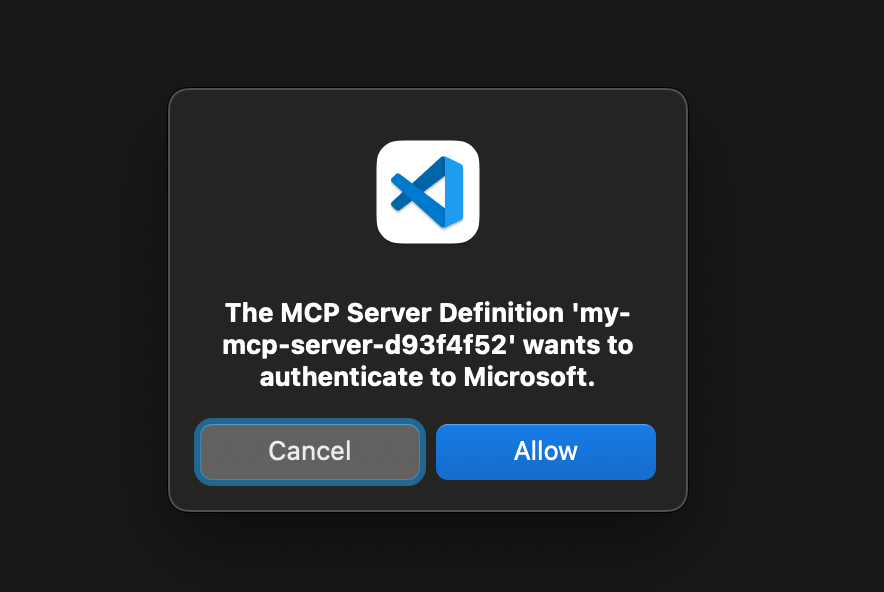
Step 4. Agree to Peform SSO Login
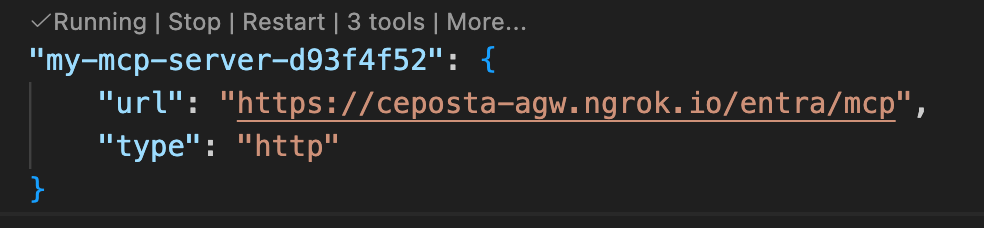
Step 5. Review MCP Config in mcp.json
Using your own MCP Clients
In VS Code (and Cursor, Claude, etc) the MCP client ID is baked in. But if you have your own MCP clients, or AI agents, or just want to configure your own OAuth clients for MCP access, you can do that in the Entra dashboard.
Step 1. Create a new App Registration (Public client is fine)
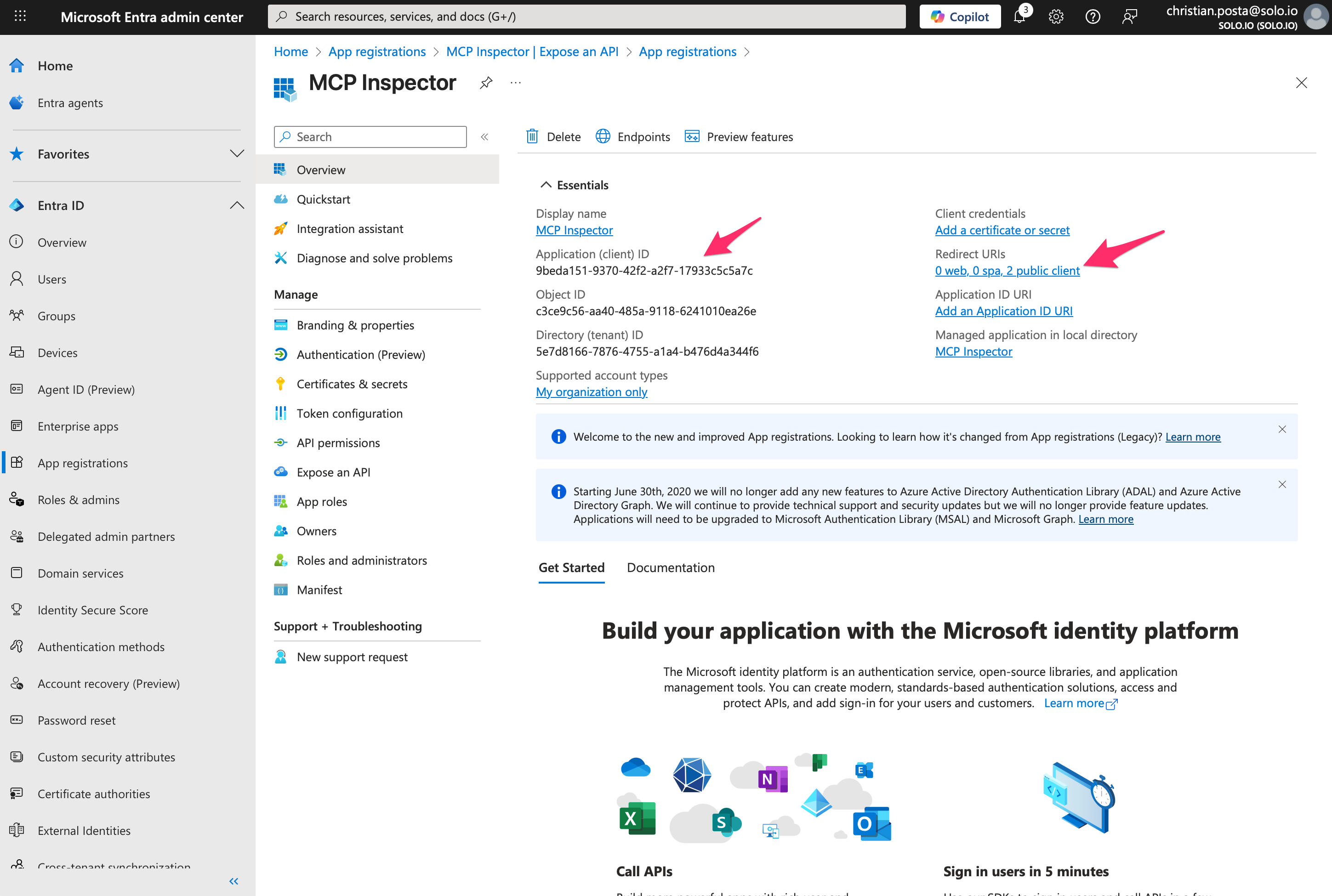
Step 2. Configure correct Redirect URIs
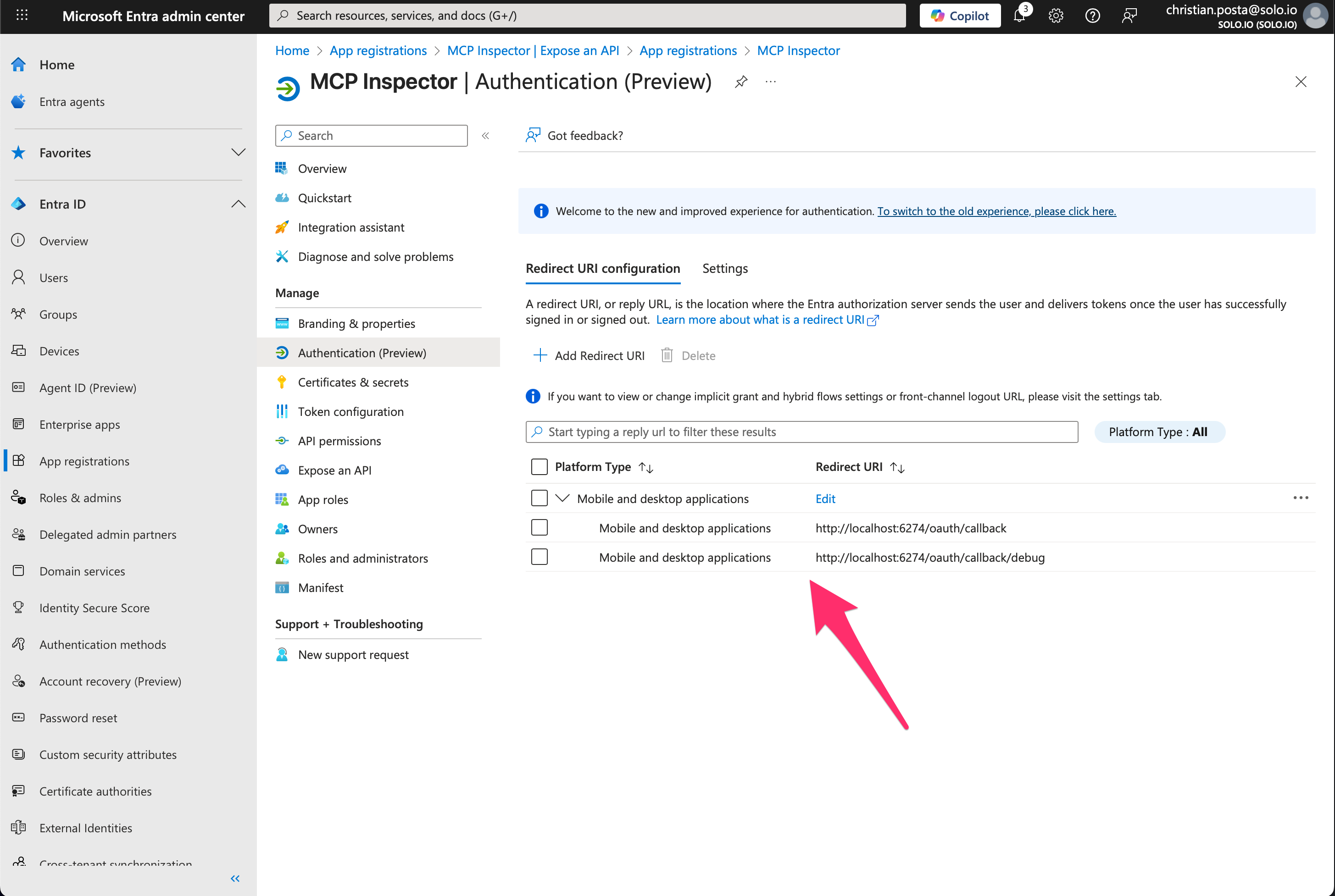
At this point you can use your own OAuth client_ids.
Caveat for MCP Inspector
MCP Inspector very closely follows the MCP Authorization spec, and unforunately for Entra ID this casues some issues.
For example, if we take a look at our OAuth Protected Resource Metadata (PRM):
{
  "resource": "https://ceposta-agw.ngrok.io/entra/mcp",
  "authorization_servers": [
    "https://login.microsoftonline.com/5e7d8166-7876-4755-a1a4-b476d4a344f6/v2.0"
  ],
  "scopes_supported": [
    "api://b92d6e60-86ff-4359-b971-04404fe079ec/mcp_access"
  ],
  "bearer_methods_supported": [
    "header",
    "body",
    "query"
  ],
  "resource_documentation": "https://ceposta-agw.ngrok.io/entra/mcp/docs",
  "resource_policy_uri": "https://ceposta-agw.ngrok.io/entra/mcp/policies",
  "mcp_protocol_version": "2025-06-18",
  "resource_type": "mcp-server"
}
You can see our Agentgateway correctly returns the PRM. A client should be able to automatically continue the OAuth/OIDC flow from this.
HOWEVER.
You can see the resource field gets set to "https://ceposta-agw.ngrok.io/entra/mcp",
This causes an issue in MCP inspector (not VS Code or other clients) because MCP inspector uses this field in the Authorization request. It sets the resource parameter based on this value (according to spec):
resource=https://ceposta-agw.ngrok.io/entra/mcp
scope=api%3A%2F%2Fb92d6e60-86ff-4359-b971-04404fe079ec%2Fmcp_access
The problem is, this is not the correct resource in Entra. The correct resouce in entra is our api://b92d6e60-86ff-4359-b971-04404fe079ec client_id. If we configure the Agentgateway to return this in our PRM, then that breaks the rest of the OAuth flow, since that’s not the real URL for our MCP resource.
The fix here is to:
- Make MCP Inspector more flexible to override the resource sent in the auth flows
- Use a verified custom domain the app registration resource URI.
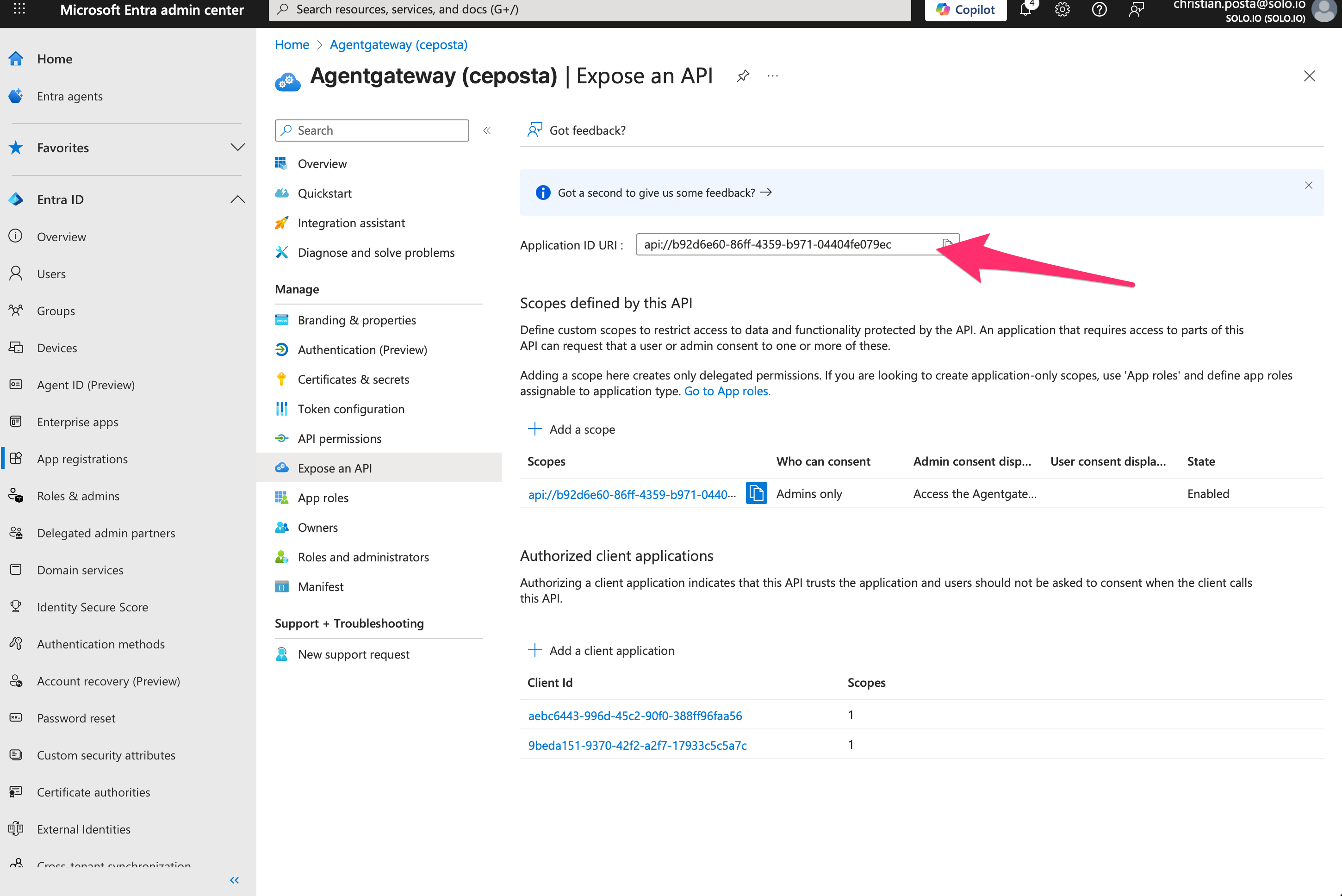
If you are doing this in production, you’d want to user a verified custom domain. Alternatively, in your custom MCP clients, make a way to override the resource parameter when calling tha authorize endpoint and use the real client_id like this example:
https://login.microsoftonline.com/<TENANT_ID>/oauth2/v2.0/authorize?
response_type=code&
client_id=9beda151-9370-42f2-a2f7-17933c5c5a7c&
code_challenge=BPfzTvHnOhmbZyB8aIW3sCG69vLmF_hG3aQRvl5C31s&
code_challenge_method=S256&
redirect_uri=http%3A%2F%2Flocalhost%3A6274%2Foauth%2Fcallback%2Fdebug&
state=38158e70909ff3264e129b13b3927b34dc299a7d2dea3b9ee62ca0f181e83db5&
scope=api%3A%2F%2Fb92d6e60-86ff-4359-b971-04404fe079ec%2Fmcp_access&
resource=api%3A%2F%2Fb92d6e60-86ff-4359-b971-04404fe079ec
Wrapping Up
The right pattern for enterprise MCP usage is to tie access to the internal IdP and SSO. All policy should be written against these user IDs (and groups, claims, etc). For more complex auth flows that require cross-identity OAuth ie, like if you need to call GitHub MCP servers, or Databricks, etc each which have their own IdP separate from enterprise IdP, then you can do that also with Agentgateway Enterprise:



%20(1).png)








%20a%20Bad%20Idea.png)