ingress-nginx retirement
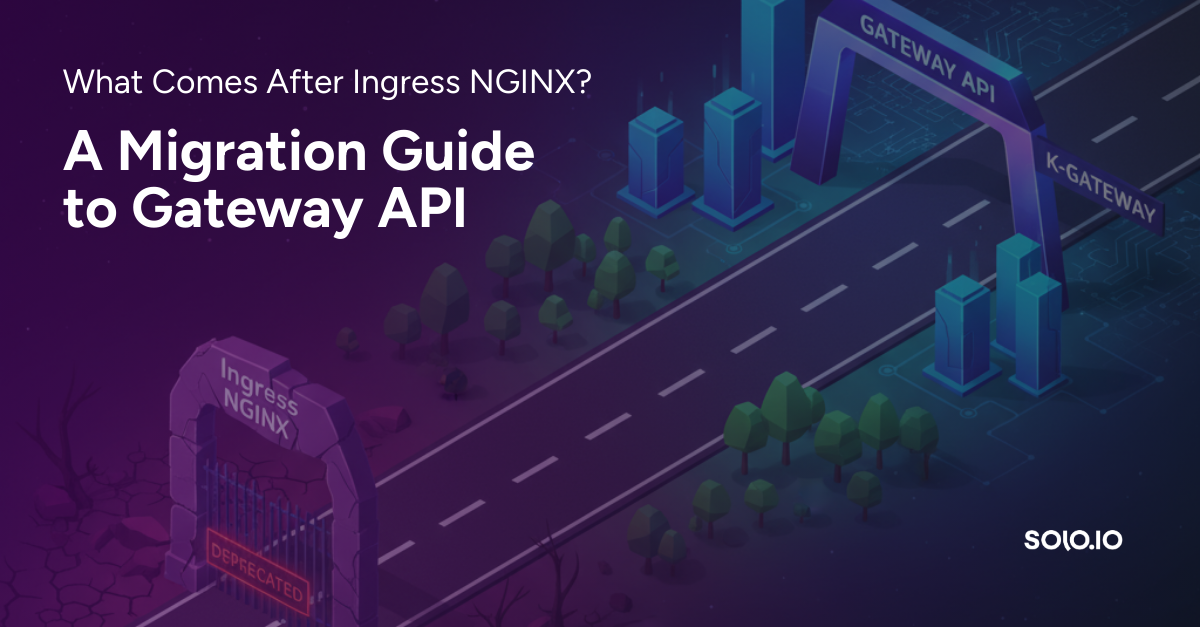
In November 2025 the Kubernetes community announced the retirement of the venerable ingress-nginx Ingress controller.
Ingress-nginx was one of the first options available in Kubernetes for configuring ingress traffic to workloads hosted on Kubernetes. The story of ingress and traffic management has evolved steadily over the years, culminating in the Kubernetes Gateway API specification, which offers a more robust and complete solution to the problem.
Support for ingress-nginx is scheduled to end in March.
Help is on the way!
The kgateway and agentgateway project maintainers extended the ingress2gateway migration tool to support easily migrating from ingress-nginx to their respective projects.
This article dives into the use of this tool to migrate to agentgateway. You will find the tool's installation instructions in the project's documentation.
How to use the tool
The tool's main subcommand is the print command which accepts both a providers flag and an emitter flag: the "from" and "to" formats for performing the translation to Gateway API.
ingress2gateway print --help
Here is the help output for the print command:
Prints Gateway API objects generated from ingress and provider-specific resources.

Usage:
  ingress2gateway print [flags]

Flags:
  -A, --all-namespaces                       If present, list the requested object(s) across all namespaces. Namespace in current context is ignored even
                                             if specified with --namespace.
      --emitter standard                     If present, the tool will try to use the specified emitter to generate the Gateway API resources, supported values are [agentgateway kgateway standard]. The standard emitter will only output Gateway API (default "standard")
  -h, --help                                 help for print
      --ingress-nginx-ingress-class string   Provider-specific: ingress-nginx. The name of the ingress class to select. Defaults to 'nginx' (default "nginx")
      --input-file string                    Path to the manifest file. When set, the tool will read ingresses from the file instead of reading from the cluster. Supported files are yaml and json.
  -n, --namespace string                     If present, the namespace scope for this CLI request.
  -o, --output string                        Output format. One of: (yaml, json, kyaml). (default "yaml")
      --providers strings                    If present, the tool will try to convert only resources related to the specified providers, supported values are [ingress-nginx].

Global Flags:
      --kubeconfig string   The kubeconfig file to use when talking to the cluster. If the flag is not set, a set of standard locations can be searched for an existing kubeconfig file.
Besides providers and emitter, there are flags to control the source of the input: whether from a file (input-file), or by looking at the Kubernetes cluster, either in --all-namespaces or a specific --namespace.
ingress2gateway supports both kgateway and agentgateway
Through the emitter flag, you can target either kgateway (emitter=kgateway) or agentgateway (emitter=agentgateway).
What's special about the tool is its support for a litany of ingress-nginx annotations for configuring a variety of features including CORS, rate limiting, canaries, timeouts, auth, session affinity, etc..
This version of ingress2gateway gives you the ability to automatically translate your ingress-nginx configurations to agentgateway, and it knows to configure agentgateway-specific resources as necessary to translate the configuration including the ingress-nginx annotations.
In a previous blog Michael Levan provided an overview of how to work with the kgateway emitter to translate configurations for three distinct scenarios: TLS, Auth, and CORS.
In this blog, we walk you through the same three scenarios, but this time targeting the agentgateway emitter.
Let's get started!
Setup
Provision a test Kubernetes cluster. A local cluster such as kind or k3d will do, or feel free to use one provisioned by your favorite cloud provider.
Install kgateway with agentgateway
Install agentgateway per the install instructions.
Once installed, confirm that the agentgateway control plane is running in the namespace agentgateway-system:
kubectl get pod -n agentgateway-systemNAME READY STATUS RESTARTS AGE
agentgateway-7455b4475b-x9sxt 1/1 Running 0 11hDeploy a sample backend workload
Deploy the httpbin service (configured to use port 8000):
kubectl apply -f https://raw.githubusercontent.com/istio/istio/refs/heads/master/samples/httpbin/httpbin.yaml
Verify that the httpbin pod is running and its service exists in the default namespace:
kubectl get pod,svcScenario 1: TLS
Review the following initial Ingress configuration, which configures ingress with TLS termination for httpbin:
cat tls.yaml---
apiVersion: networking.k8s.io/v1
kind: Ingress
metadata:
name: tls-ingress
annotations:
nginx.ingress.kubernetes.io/ssl-redirect: "true"
nginx.ingress.kubernetes.io/force-ssl-redirect: "true"
spec:
ingressClassName: nginx
tls:
- hosts:
- httpbin.example.com
secretName: httpbin-cert
rules:
- host: httpbin.example.com
http:
paths:
- path: /
pathType: Prefix
backend:
service:
name: httpbin
port:
number: 8000
Run ingress2gateway to generate the associated Gateway API configuration translation:
ingress2gateway print --providers=ingress-nginx --emitter=agentgateway --input-file=tls.yaml
Here is the generated output:
apiVersion: gateway.networking.k8s.io/v1
kind: Gateway
metadata:
  annotations:
    gateway.networking.k8s.io/generator: ingress2gateway-v0.2.0-72-g9594e9a
  name: nginx
spec:
  gatewayClassName: agentgateway
  listeners:
  - hostname: httpbin.example.com
    name: httpbin-example-com-http
    port: 80
    protocol: HTTP
  - hostname: httpbin.example.com
    name: httpbin-example-com-https
    port: 443
    protocol: HTTPS
    tls:
      certificateRefs:
      - group: null
        kind: null
        name: httpbin-cert
status: {}
---
apiVersion: gateway.networking.k8s.io/v1
kind: HTTPRoute
metadata:
  annotations:
    gateway.networking.k8s.io/generator: ingress2gateway-v0.2.0-72-g9594e9a
  name: tls-ingress-httpbin-example-com-http-redirect
spec:
  hostnames:
  - httpbin.example.com
  parentRefs:
  - name: nginx
    sectionName: httpbin-example-com-http
  rules:
  - filters:
    - requestRedirect:
        scheme: https
        statusCode: 301
      type: RequestRedirect
    matches:
    - path:
        type: PathPrefix
        value: /
status:
  parents: []
---
apiVersion: gateway.networking.k8s.io/v1
kind: HTTPRoute
metadata:
  annotations:
    gateway.networking.k8s.io/generator: ingress2gateway-v0.2.0-72-g9594e9a
  name: tls-ingress-httpbin-example-com-https
spec:
  hostnames:
  - httpbin.example.com
  parentRefs:
  - name: nginx
    sectionName: httpbin-example-com-https
  rules:
  - backendRefs:
    - name: httpbin
      port: 8000
    matches:
    - path:
        type: PathPrefix
        value: /
status:
  parents: []
Note the Gateway and HTTPRoute's in the output. Two HTTPRoute resources are created, one to route requests and the other to redirect HTTP requests to the HTTPS scheme.
Apply the resources to the cluster
Since we are configuring TLS, we need a certificate:
step certificate create httpbin.example.com httpbin.crt httpbin.key \
  --profile self-signed --subtle --no-password --insecure
Create a Kubernetes secret to hold the certificate:
kubectl create secret tls httpbin-cert --cert=httpbin.crt --key=httpbin.key
Apply the generated Gateway API resources to the cluster:
ingress2gateway print --providers=ingress-nginx --emitter=agentgateway --input-file=tls.yaml | kubectl apply -f -Test it
Capture the gateway's external IP address:
export GW_IP=$(kubectl get gateway nginx -o jsonpath='{.status.addresses[0].value}')
Verify that ingress is working with https:
curl -s --insecure https://httpbin.example.com/get --resolve httpbin.example.com:443:$GW_IP
Verify that a request to port 80 is redirected (301) to port 443:
curl -s --head http://httpbin.example.com/get --resolve httpbin.example.com:80:$GW_IP
Here is the output:
HTTP/1.1 301 Moved Permanently
location: https://httpbin.example.com/get
date: Tue, 27 Jan 2026 23:25:33 GMT
Cleanup
ingress2gateway print --providers=ingress-nginx --emitter=agentgateway --input-file=tls.yaml | kubectl delete -f -Scenario 2: Basic Authentication
Review the initial Ingress resource, which configures ingress with basic authentication for httpbin:
cat basic-auth.yaml---
apiVersion: networking.k8s.io/v1
kind: Ingress
metadata:
name: auth-ingress
annotations:
nginx.ingress.kubernetes.io/auth-type: basic
nginx.ingress.kubernetes.io/auth-secret: basic-auth
nginx.ingress.kubernetes.io/auth-secret-type: auth-file
spec:
ingressClassName: nginx
rules:
- host: httpbin.example.com
http:
paths:
- path: /
pathType: Prefix
backend:
service:
name: httpbin
port:
number: 8000
Review the ingress2gateway-generated Gateway API-conformant translation:
ingress2gateway print --providers=ingress-nginx --emitter=agentgateway --input-file=basic-auth.yaml
Inspect the generated resources:
apiVersion: gateway.networking.k8s.io/v1
kind: Gateway
metadata:
  annotations:
    gateway.networking.k8s.io/generator: ingress2gateway-v0.2.0-72-g9594e9a
  name: nginx
spec:
  gatewayClassName: agentgateway
  listeners:
  - hostname: httpbin.example.com
    name: httpbin-example-com-http
    port: 80
    protocol: HTTP
status: {}
---
apiVersion: gateway.networking.k8s.io/v1
kind: HTTPRoute
metadata:
  annotations:
    gateway.networking.k8s.io/generator: ingress2gateway-v0.2.0-72-g9594e9a
  name: auth-ingress-httpbin-example-com
spec:
  hostnames:
  - httpbin.example.com
  parentRefs:
  - name: nginx
  rules:
  - backendRefs:
    - name: httpbin
      port: 8000
    matches:
    - path:
        type: PathPrefix
        value: /
status:
  parents: []
---
apiVersion: agentgateway.dev/v1alpha1
kind: AgentgatewayPolicy
metadata:
  name: auth-ingress
spec:
  targetRefs:
  - group: gateway.networking.k8s.io
    kind: HTTPRoute
    name: auth-ingress-httpbin-example-com
  traffic:
    basicAuthentication:
      secretRef:
        name: basic-auth
status:
  ancestors: null
Above we see the generation of three resources: the Gateway, the HTTPRoute, and an AgentGatewayPolicy which captures the basic authentication configuration.
Apply the resources to the cluster
For basic authentication, we need to first create a .htaccess file with the htpasswd command (when prompted for a password enter admin):
htpasswd -c .htaccess admin
Create a Kubernetes secret containing the basic authentication credentials:
kubectl create secret generic basic-auth --from-file=.htaccess
Apply the generated Gateway API resources to the cluster:
ingress2gateway print --providers=ingress-nginx --emitter=agentgateway --input-file=basic-auth.yaml | kubectl apply -f -
We should now have a Gateway, an HTTPRoute and an AgentGatewayPolicy.
Note the notification from the tool points out that the credentials in the secret need to be accessed via the key .htaccess. This is important since ingress-nginx uses a different key (auth).
Test it
Capture the gateway's external IP address:
export GW_IP=$(kubectl get gateway nginx -o jsonpath='{.status.addresses[0].value}')Test 1: should return HTTP 401 Unauthorized when no credentials supplied:
curl --head http://httpbin.example.com/ --resolve httpbin.example.com:80:$GW_IPHere is the output:
HTTP/1.1 401 Unauthorized
content-type: text/plain
www-authenticate: Basic realm="Restricted"
content-length: 71
date: Tue, 27 Jan 2026 23:34:56 GMT
Test 2: should return HTTP 200 when properly authenticating:
curl --head -u "admin:admin" http://httpbin.example.com/ --resolve httpbin.example.com:80:$GW_IP
Here is the output:
HTTP/1.1 200 OK
access-control-allow-credentials: true
access-control-allow-origin: *
content-security-policy: default-src 'self'; style-src 'self' 'unsafe-inline'; img-src 'self' camo.githubusercontent.com
content-type: text/html; charset=utf-8
date: Tue, 27 Jan 2026 23:35:50 GMT
Cleanup
ingress2gateway print --providers=ingress-nginx --emitter=agentgateway --input-file=basic-auth.yaml | kubectl delete -f -Scenario 3: CORS
Review the initial Ingress resource, which configures CORS for httpbin:
cat cors.yaml---
apiVersion: networking.k8s.io/v1
kind: Ingress
metadata:
name: cors-ingress
annotations:
nginx.ingress.kubernetes.io/enable-cors: "true"
nginx.ingress.kubernetes.io/cors-allow-origin: "https://app.example.com,https://dashboard.example.com"
nginx.ingress.kubernetes.io/cors-allow-methods: "GET,POST,PUT,DELETE,OPTIONS"
nginx.ingress.kubernetes.io/cors-allow-headers: "Authorization,Content-Type,X-Requested-With"
nginx.ingress.kubernetes.io/cors-expose-headers: "X-Custom-Header,X-Request-ID"
nginx.ingress.kubernetes.io/cors-allow-credentials: "true"
nginx.ingress.kubernetes.io/cors-max-age: "7200"
spec:
ingressClassName: nginx
rules:
- host: httpbin.example.com
http:
paths:
- path: /
pathType: Prefix
backend:
service:
name: httpbin
port:
number: 8000
Review the ingress2gateway-generated Gateway API-conformant translation:
ingress2gateway print --providers=ingress-nginx --emitter=agentgateway --input-file=cors.yaml
Review the generated resources:
apiVersion: gateway.networking.k8s.io/v1
kind: Gateway
metadata:
  annotations:
    gateway.networking.k8s.io/generator: ingress2gateway-v0.2.0-72-g9594e9a
  name: nginx
spec:
  gatewayClassName: agentgateway
  listeners:
  - hostname: httpbin.example.com
    name: httpbin-example-com-http
    port: 80
    protocol: HTTP
status: {}
---
apiVersion: gateway.networking.k8s.io/v1
kind: HTTPRoute
metadata:
  annotations:
    gateway.networking.k8s.io/generator: ingress2gateway-v0.2.0-72-g9594e9a
  name: cors-ingress-httpbin-example-com
spec:
  hostnames:
  - httpbin.example.com
  parentRefs:
  - name: nginx
  rules:
  - backendRefs:
    - name: httpbin
      port: 8000
    filters:
    - responseHeaderModifier:
        remove:
        - Access-Control-Allow-Origin
        - Access-Control-Allow-Methods
        - Access-Control-Allow-Headers
        - Access-Control-Expose-Headers
        - Access-Control-Max-Age
        - Access-Control-Allow-Credentials
      type: ResponseHeaderModifier
    matches:
    - path:
        type: PathPrefix
        value: /
status:
  parents: []
---
apiVersion: agentgateway.dev/v1alpha1
kind: AgentgatewayPolicy
metadata:
  name: cors-ingress
spec:
  targetRefs:
  - group: gateway.networking.k8s.io
    kind: HTTPRoute
    name: cors-ingress-httpbin-example-com
  traffic:
    cors:
      allowCredentials: true
      allowHeaders:
      - Authorization
      - Content-Type
      - X-Requested-With
      allowMethods:
      - GET
      - POST
      - PUT
      - DELETE
      - OPTIONS
      allowOrigins:
      - https://app.example.com
      - https://dashboard.example.com
      exposeHeaders:
      - X-Custom-Header
      - X-Request-ID
      maxAge: 7200
status:
  ancestors: null
Above, we see three generated resources. Besides the Gateway, the HTTPRoute and AgentGatewayPolicy configure CORS.
Apply the resources to the cluster
Apply the generated Gateway API resources to the cluster:
ingress2gateway print --providers=ingress-nginx --emitter=agentgateway --input-file=cors.yaml | kubectl apply -f -Test it
Capture the gateway's external IP address:
export GW_IP=$(kubectl get gateway nginx -o jsonpath='{.status.addresses[0].value}')
When testing CORS, we expect both a preflight request (OPTIONS method) and a normal request from a valid origin (e.g. from app.example.com) to result in a response from a server that contains the access-control-allow-origin confirming that the request was from a valid origin:
curl -v http://httpbin.example.com/ --resolve httpbin.example.com:80:$GW_IP \
  -X OPTIONS \
  -H "Origin: https://app.example.com" \
  -H "Access-Control-Request-Method: POST" \
  -H "Access-Control-Request-Headers: Authorization,Content-Type"
Note the access-control-allow-origin response header in the output below:
> OPTIONS / HTTP/1.1
> Host: httpbin.example.com
> User-Agent: curl/8.18.0
> Accept: */*
> Origin: https://app.example.com
> Access-Control-Request-Method: POST
> Access-Control-Request-Headers: Authorization,Content-Type
>
* Request completely sent off
< HTTP/1.1 200 OK
< access-control-allow-origin: https://app.example.com
< access-control-allow-methods: GET,POST,PUT,DELETE,OPTIONS
< access-control-allow-headers: authorization,content-type,x-requested-with
< access-control-max-age: 7200
< content-length: 0
< date: Tue, 27 Jan 2026 17:22:47 GMT
curl -sv http://httpbin.example.com/get --resolve httpbin.example.com:80:$GW_IP \
-H "Origin: https://app.example.com" -o /dev/null
The response headers here match the preflight response.
A negative test should return a similar response, but with either no access-control-allow-origin header, or one whose value does not include the origin from which the request was made:
curl -v http://httpbin.example.com/ --resolve httpbin.example.com:80:$GW_IP \
  -X OPTIONS \
  -H "Origin: https://evil.com" \
  -H "Access-Control-Request-Method: POST" \
  -H "Access-Control-Request-Headers: Content-Type,Authorization"
In the below output, note the absence of the access-control-allow-origin header:
> OPTIONS / HTTP/1.1
> Host: httpbin.example.com
> User-Agent: curl/8.18.0
> Accept: */*
> Origin: https://evil.com
> Access-Control-Request-Method: POST
> Access-Control-Request-Headers: Content-Type,Authorization
>
* Request completely sent off
< HTTP/1.1 200 OK
< date: Tue, 27 Jan 2026 23:40:36 GMT
< content-length: 0
A normal request from a disallowed origin likewise returns a response with the absence of access-control-allow-origin header:
curl -sv http://httpbin.example.com/ --resolve httpbin.example.com:80:$GW_IP \
  -H "Origin: https://evil.com" -o /dev/null
Cleanup
ingress2gateway print --providers=ingress-nginx --emitter=agentgateway --input-file=cors.yaml | kubectl delete -f -Summary
We invite you to go further and review the project's migration documentation which covers an even wider range of scenarios ranging from basic ingress, to session affinity, rate limiting, and more.
The agentgateway project has full conformance with the Gateway API. The companion tool ingress2gateway makes short work of translating your existing ingress-nginx Ingress configurations to agentgateway configuration resources, with support for all of these scenarios.
If you have any questions or need help migrating, we're here to help. You will find all of the documentation, community and other support pages directly from the agentgateway website.


%20(1).png)







%20a%20Bad%20Idea.png)